Edit your walkthroughs
with a prompt.
Edit your walkthroughs
with a prompt.
Edit your walkthroughs
with a prompt.
Magic editor is the prompt-based editing layer inside Layerpath. Type what you want changed, pick a quick action, or apply edits across the whole demo.
Magic editor is the prompt-based editing layer inside Layerpath. Type what you want changed, pick a quick action, or apply edits across the whole demo.


A new way to edit
The editor for
everything after recording.
The editor for everything after recording.
The editor for everything after recording.
Instead of clicking through every step and editing by hand, you describe the change you want. Magic editor reads it, shows you what will change, and applies it when you approve.
Instead of clicking through every step and editing by hand, you describe the change you want. Magic editor reads it, shows you what will change, and applies it when you approve.
Instead of clicking through every step and editing by hand, you describe the change you want. Magic editor reads it, shows you what will change, and applies it when you approve.
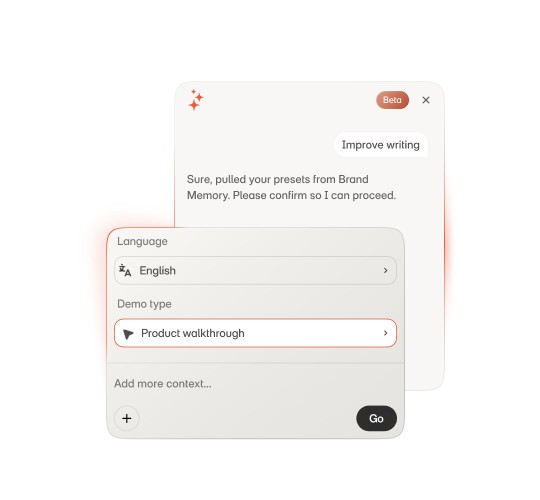
Rewrite the writing
Rewrite the writing
Rewrite the writing
Tighten long callouts. Sharpen weak titles. Adjust tone for sales, onboarding, or training. Fix grammar and clarity across every step.
Tighten long callouts. Sharpen weak titles. Adjust tone for sales, onboarding, or training. Fix grammar and clarity across every step.
Add voiceover
Add voiceover
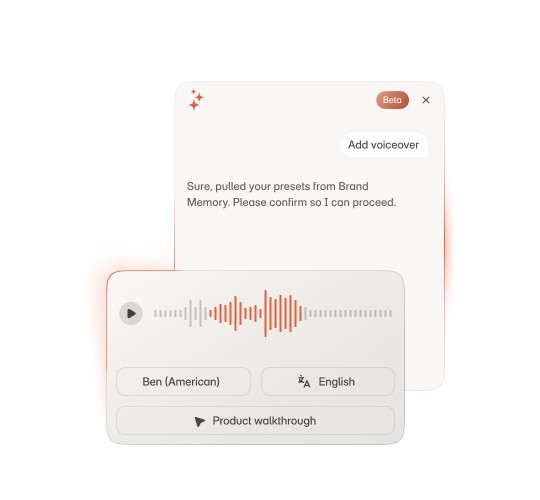
Add voiceover
Generate narration from your step text. Add audio to one step, regenerate it across the demo, or change the voice profile when the brand voice changes.
Generate narration from your step text. Add audio to one step, regenerate it across the demo, or change the voice profile when the brand voice changes.
Translate the demo
Translate the demo
Translate the demo
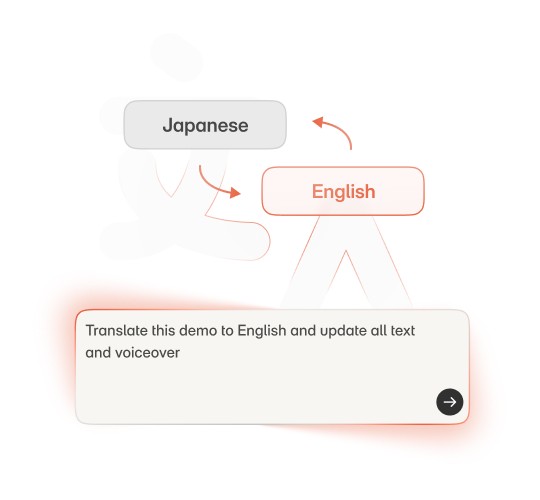
Translate step text, callouts, and voiceover into another language in one pass. Ship the same demo in English, Spanish, French, and Japanese without rebuilding it four times.
Translate step text, callouts, and voiceover into another language in one pass. Ship the same demo in English, Spanish, French, and Japanese without rebuilding it four times.
Match your
Brand memory
Match your Brand memory
Match your Brand memory
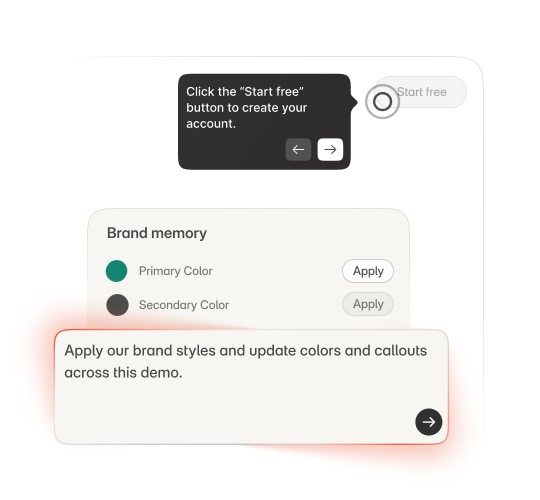
Update callout colors, tone, and visual style so the demo feels consistent with your brand. Magic editor uses Brand memory to keep tone and visual style consistent.
Update callout colors, tone, and visual style so the demo feels consistent with your brand. Magic editor uses Brand memory to keep tone and visual style consistent.
Adapt for any audience
Adapt for any audience
Adapt for any audience
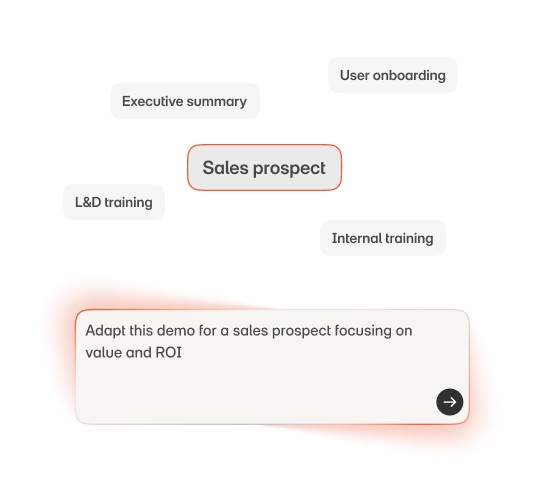
Same source demo, different versions. Rewrite for sales prospects. Simplify for new users. Reframe for an internal training session. Magic editor changes the framing without duplicating the work.
Same source demo, different versions. Rewrite for sales prospects. Simplify for new users. Reframe for an internal training session. Magic editor changes the framing without duplicating the work.

Create once. Keep editing.
Create once. Keep editing.
Create once. Keep editing.
Turn one captured demo into cleaner, sharper versions with Magic Editor.
Turn one captured demo into cleaner, sharper versions with Magic Editor.
Workflow training ideas worth stealing.
Product updates, news, and walkthrough examples.
Workflow training ideas worth stealing.
Product updates, news, and walkthrough examples.
Workflow training ideas worth stealing.
Product updates, news, and walkthrough examples.