
Updated October 26, 2026: prices rechecked on each vendor's pricing page, tool descriptions checked against each vendor's own site, the Layerpath section rewritten to match the current product, and the tool list updated to match what each vendor sells today.
Customer onboarding software is not one category. Some tools create the walkthroughs and videos customers learn from, some guide users inside your product, some measure where users get stuck, and some send messages at the right moment. Most teams need two or three of these, not all of them.
We focused on tools that help customers get through onboarding, whether by teaching them (walkthroughs and videos), guiding them inside the product, measuring where they struggle, or messaging them at the right time.
For each tool, we covered how it fits into your tech stack, who benefits most from using it, and the real costs beyond monthly subscriptions. That way, you can determine if it aligns with your onboarding approach and team capabilities.
Types of customer onboarding software
Customer onboarding software helps guide new users through your product, ensuring they understand key features, reach their first “aha” moments, and adopt the product successfully. These tools reduce drop-off, accelerate time-to-value, and make onboarding scalable and consistent.
Here are some types of tools that can help you with customer onboarding:
- Interactive demo tools: Create hands-on product walkthroughs
- Video onboarding tools: Deliver tutorials and educational content
- Customer behavior analytics tools: Track and analyze how users engage with your product
- Email onboarding tools: Automate welcome sequences and onboarding campaigns
- Customer success tools: All-in-one platforms for managing onboarding and ongoing success
- Product adoption platforms: Drive feature adoption and activation
- User feedback tools: Collect insights through surveys, videos, or user interviews
Layerpath belongs to the first two groups. It creates interactive walkthroughs, step-by-step guides, and videos that customers can open from an onboarding email, a help center, or a link inside your product. It does not run in-app tours, send messages, or track how people use your product.
Depending on your needs, you can choose a few core tools or a full stack. The right setup helps users get value faster and reduces drop-off.
Customer onboarding software at a glance
Here’s a quick overview of the different types of software you can include in your customer onboarding tech stack:
Prices were checked on each vendor's pricing page on October 26, 2026.
| Tool | Type | Best for | How it fits into customer onboarding | Starts at |
|---|---|---|---|---|
| Layerpath | Product education (tours, guides, videos) | Customer education and onboarding teams that keep walkthroughs current | Creates the walkthroughs, guides, and videos customers follow during onboarding | Free plan available. Pro is $50 per seat per month |
| Wistia | Video marketing tool | Teams creating branded video content | Hosts and tracks videos for onboarding education and engagement | Free plan available. Business is $79/mo billed annually |
| Userpilot | Product adoption platform | Mid-market SaaS building in-app onboarding | Delivers in-app onboarding flows, checklists, and contextual guidance | $299/mo (Starter, up to 2,000 MAUs) |
| Chameleon | In-app guidance tool | Teams prioritizing visual design | Builds in-product tours, checklists, and banners that match your product's look | $279 for 2,000 MTUs (Startup plan) |
| Hotjar | User behavior analytics (now part of Contentsquare) | Teams analyzing onboarding friction | Diagnoses onboarding issues with session recordings, heatmaps, and feedback | See Hotjar pricing |
| Amplitude | Behavioral analytics platform | Data-driven teams optimizing onboarding funnels | Measures onboarding funnels and identifies paths that drive activation | Free plan available (2M events/month) |
| Customer.io | Behavioral messaging platform | PLG teams using behavioral triggers | Sends messages triggered by user actions to guide users through onboarding steps | $100/mo (Essentials, billed monthly) |
Layerpath
Best for customer education and onboarding teams that need walkthroughs to stay current as the product changes
Layerpath pros
- One project gives you an interactive tour, a step-by-step guide, and a video export
- Import a Loom or YouTube link instead of recording again
- Translate walkthroughs and add AI voiceover in multiple languages
Layerpath cons
- Strongest for software with a visible interface; API and code-heavy topics need other formats
- Does not run in-app tours or checklists inside your product
- Not a learning management system: it creates content, but does not manage courses or track learner progress
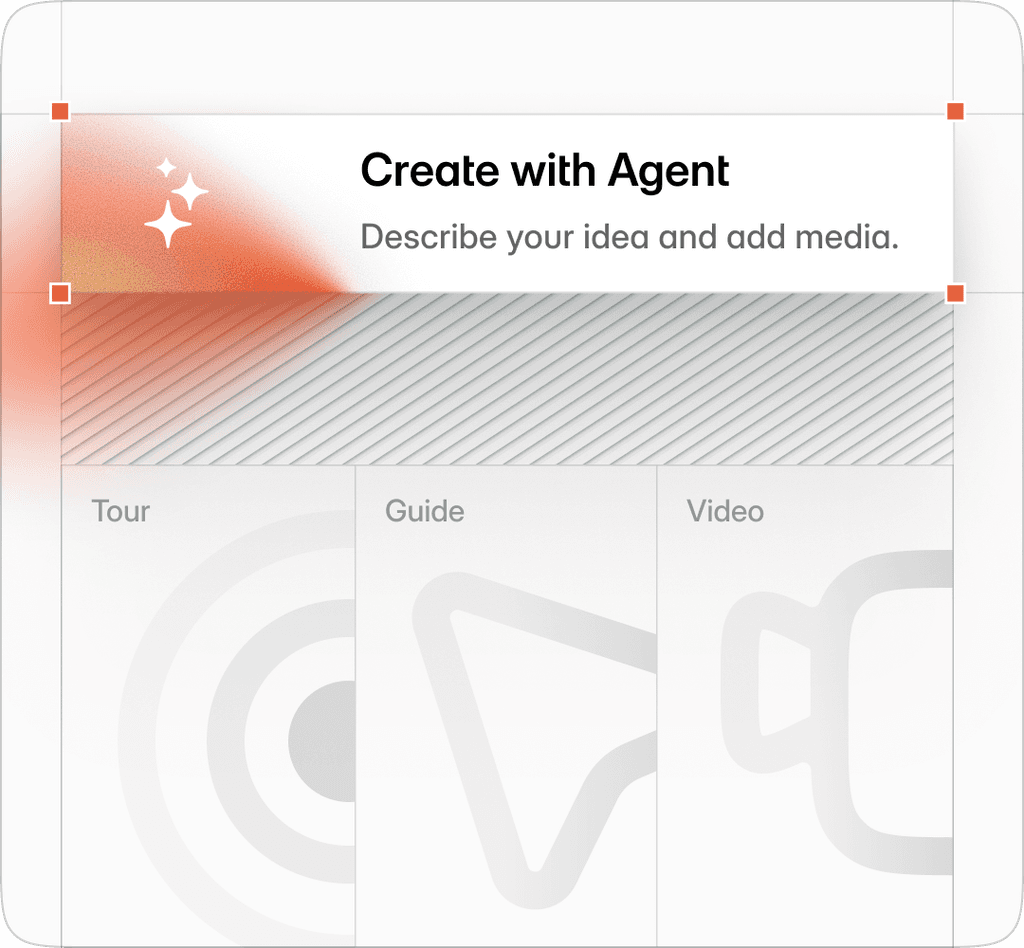
Layerpath turns a software workflow into reusable onboarding content: an interactive tour customers click through, a step-by-step guide they can skim, and a narrated video. It is the content part of an onboarding stack, not the in-app or messaging part.
For onboarding and customer education teams, the hard part is usually not the first version of a walkthrough. It is keeping it right after every release. In Layerpath you edit the steps that changed instead of re-recording the whole walkthrough.
Here’s how it works:
- Capture the workflow. Record it with the Chrome extension, upload screenshots or a video, or import a Loom or YouTube link.
- Review and edit the steps. Adjust callouts, voiceover, and branding in the editor, or ask Edit with Agent to change many steps at once. You review the changes before publishing.
- Share it where customers look. Share a link, or embed the tour in your help center, LMS, onboarding email, or Notion.
- Keep it current. When the product changes, edit the steps that changed. The tour and the guide use the same steps, and you generate a new video export when you need an updated video.
To see the format, click through an example tour we built of creating a deal in HubSpot. It is an illustration, not a customer story or a HubSpot endorsement. For how education teams use Layerpath, see Layerpath for customer education. If your kickoff calls are already recorded in Loom, the free recording-to-guide tool turns a public Loom link into numbered steps with screenshots.
Layerpath features
- Multiple formats: An interactive tour, a step-by-step guide, and a video export from one project
- AI: AI voiceover and translation in multiple languages, and Edit with Agent for prompt-based edits
- Sharing: Links and embeds for websites, help centers, LMS platforms, email, and Notion
- Insights: Viewer drop-off, step replays, and completion rates for each walkthrough. These show how people view a walkthrough; they are not course or learner progress tracking.
Layerpath pricing
Prices from Layerpath's pricing page, checked October 26, 2026. Free is $0 for one seat, with up to 3 projects published at a time. Pro is $50 per seat per month billed monthly, or $500 per seat per year billed annually, for up to 3 seats. Team is $500 per month or $5,000 per year, with 5 seats included and extra seats at $50 per month, up to 14. Enterprise is a custom contract starting at $10,000 per year. A seat is one person who creates and edits projects; viewers are free. See pricing for current plans.
How Layerpath fits into your customer onboarding tech stack
Layerpath is the content layer of an onboarding stack. Put its walkthroughs where customers already look for help: the welcome email, a link in your in-app checklist, your help center, or your training portal. It works alongside in-app guidance, analytics, and messaging tools rather than replacing them.
Wistia
Best for teams creating branded video content for customer onboarding and product education
Wistia pros
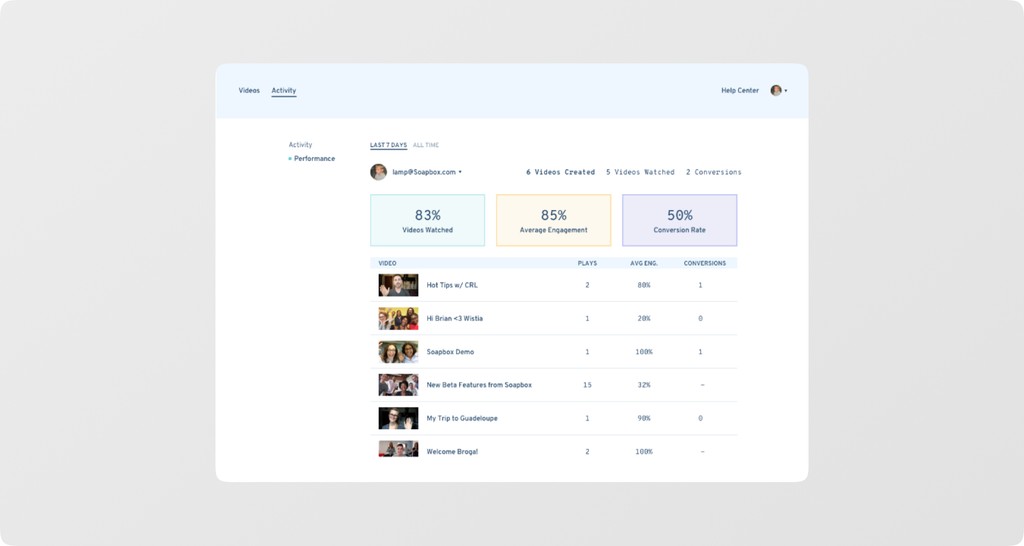
- Video engagement analytics, including heatmaps and an engagement graph that shows drop-off
- Branded in-video forms to capture leads
Wistia cons
- The free plan is limited to one user and 25 GB of storage, without channels
- Paid plans are billed annually
Wistia is a business video platform that goes beyond basic hosting. It tracks how people watch your videos and lets you add in-video forms.
In onboarding, this helps with product education: channels give a video series a home, and in-video forms let viewers send questions or details.
On the other end, you can see not just if someone watched a tutorial, but where they stopped and what parts they rewatched. This feedback helps you improve videos over time using real engagement data instead of guesswork.
Wistia features
- Channels: Give a video series its own home
- AI tools: Automatically transcribe, translate, chapter, and clip videos
- Video SEO: Help more people find your videos
- Team feedback: Keep your team's comments on a video in one place
Wistia pricing
Wistia has a free plan for one user with 25 GB of storage; channels are not included. Business is $79 per month billed annually, and Business + Signals is $329 per month billed annually, each for 3 or more users. Enterprise is custom. Checked on wistia.com/pricing, October 26, 2026.
How Wistia fits into your customer onboarding tech stack
Wistia provides the video infrastructure for your onboarding stack, turning standard videos into branded, interactive, and trackable content. It enables teams to deliver guided experiences, measure how users engage with each video, and use those insights to support adoption and inform next steps in the onboarding process.
Userpilot
Best for mid-market SaaS teams building no-code in-app onboarding experiences with advanced user behavior tracking
Userpilot pros
- Flows, checklists, tooltips, modals, spotlights, and banners from a no-code builder
- Works on the web and in native iOS and Android apps through SDKs
Userpilot cons
- Pricing is based on monthly active users, starting at $299 per month
- Runs inside your product, so it reaches signed-in users rather than prospects
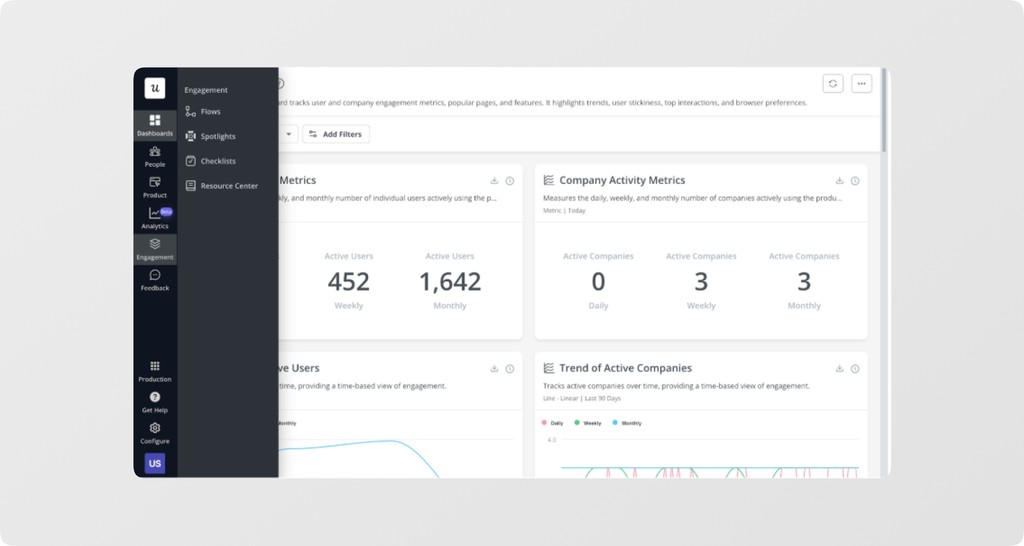
Userpilot is a product growth platform built for product-led onboarding. It helps teams guide users to key features, drive activation, and increase adoption with contextual, in-app guidance that lets users discover features at their own pace.
It also includes product analytics (funnels, paths, retention, and trends) and in-app surveys, so onboarding and its results sit in one place.
Userpilot features
- In-app onboarding flows: Flows, checklists, tooltips, and banners built without code
- User segmentation: Target users by behavior and properties
- Surveys: NPS, CES, CSAT, and custom in-app surveys
- Product analytics: Funnels, paths, retention, and trends reports
Userpilot pricing
Userpilot's Starter plan is $299 per month for up to 2,000 monthly active users (MAUs). Growth starts at $849 per month, and Enterprise is custom. Checked on userpilot.com/pricing, October 26, 2026. Its MAU-based pricing reflects a product-led growth approach, favoring companies with high user volumes and self-serve adoption rather than high-touch, sales-led onboarding.
How Userpilot fits into your customer onboarding tech stack
Userpilot acts as the in-product onboarding engine in your tech stack, guiding users to the key “aha moments” that matter for activation. It works best for SaaS products with complex features where hands-on, guided discovery is a must for customers to experience value.
Chameleon
Best for teams prioritizing visual design control in their in-app onboarding experiences
Chameleon pros
- Themes and custom CSS, so in-app experiences can match your product
- Integrations with tools such as Mixpanel, HubSpot, and Slack
Chameleon cons
- Focused on in-product experiences; pair it with a messaging tool for onboarding emails
- No free plan listed; pricing is based on monthly tracked users
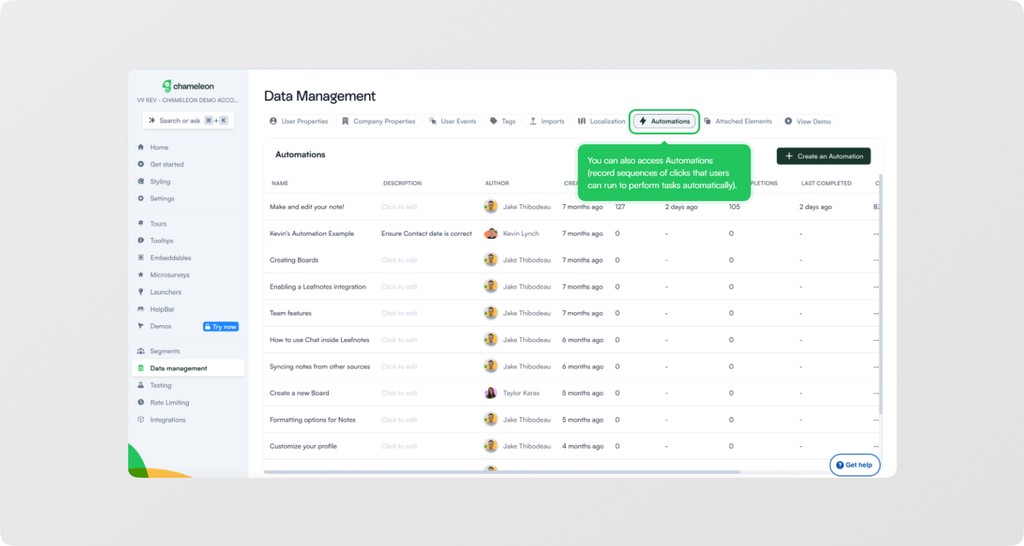
Chameleon gives SaaS teams tools to build in-product onboarding experiences. Like Userpilot, it supports product-led onboarding, and its focus is in-app guidance rather than email or other outside channels.
Chameleon supports themes and custom CSS, which suits teams with strong design requirements that need onboarding experiences to match their product's look and feel.
Chameleon features
- Launcher widgets: Create in-app widgets that open checklists and resource centers
- Advanced targeting: Segment users and trigger onboarding flows based on behavior and attributes
- A/B testing: Test visual elements and messaging to see what works best
- Tours: Targeted, step-by-step walkthroughs inside your product
- Modals and banners: Build customizable announcements and notifications for users
Chameleon pricing
Chameleon's Startup plan starts at $279 for 2,000 monthly tracked users (MTUs). Pro starts at $750 per month for 5,000 MTUs, billed monthly, and Growth starts at $1,750 per month for 5,000 MTUs, billed annually. Enterprise is custom, and costs rise with your MTU count. Checked on chameleon.io/pricing, October 26, 2026.
How Chameleon fits into your customer onboarding tech stack
Chameleon works best for companies where user experience and visual consistency influence brand perception and user satisfaction. The platform suits established SaaS products with dedicated UX and design teams and higher customer lifetime values that justify the investment.
Hotjar
Best for teams needing user behavior insights for onboarding friction analysis
Hotjar pros
- Recordings, heatmaps, funnels, and surveys in one place
- Integrates with tools such as Slack, Jira, and Unbounce
- Has a free plan
Hotjar cons
- Now part of Contentsquare, so plans and pricing are listed on Contentsquare's pricing page
- Shows how people behave on your site or app; you still need other tools to guide or teach them
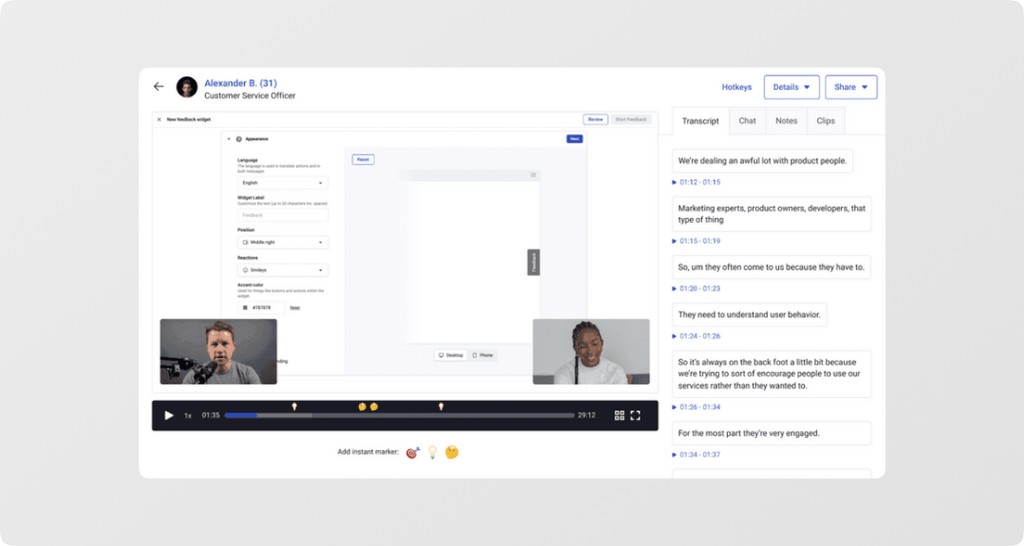
Hotjar, now part of Contentsquare, shows how people use your site or app. You can see where they click, ask what they think, and learn why they drop off. In onboarding, it acts as the ‘diagnostic’ layer that explains problems that quantitative metrics alone can’t.
It shows when users get stuck because navigation feels unclear, the information is overwhelming, or an element doesn’t work as expected. This context helps teams fix friction and make onboarding smoother, not just measure where it fails.
Hotjar features
- Session recordings: Replay real user sessions to spot struggles and errors
- Heatmaps: See where users click, hover, and scroll
- Funnels: Visualize drop-off at every step of key flows
- Surveys and interviews: Collect feedback from users
Hotjar pricing
Hotjar's pricing page now redirects to Contentsquare's pricing page, and we could not confirm current Hotjar plan prices there. Check Hotjar's pricing for current plans and session limits. Checked October 26, 2026.
How Hotjar fits into your customer onboarding tech stack
Hotjar helps with onboarding optimization. It connects what users do through analytics with why they do it through heatmaps, recordings, and feedback. You can spot drop-offs, investigate causes, make changes, and measure results. It works best for teams with UX resources who can turn insights into meaningful onboarding improvements.
Amplitude
Best for data-driven teams needing onboarding funnel analysis for customer activation
Amplitude pros
- Plot user journeys and create targeted cohorts
- Analyze onboarding funnels to spot drop-offs
- Segment users to understand different onboarding paths
Amplitude cons
- Needs event tracking set up in your product
- Growth and Enterprise pricing is custom
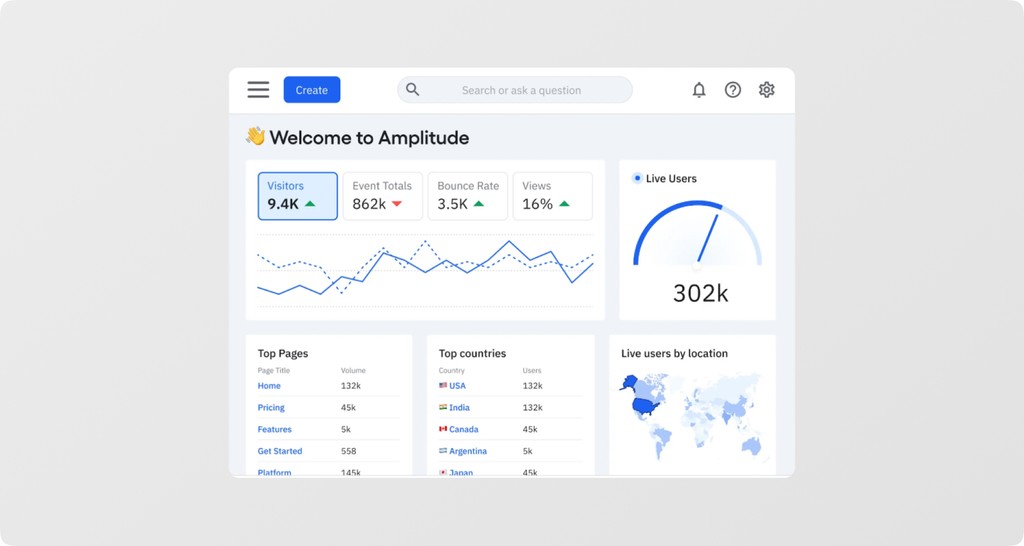
Amplitude helps teams optimize onboarding by turning user data into actionable insights. Its analytics platform tracks onboarding funnels, showing where users drop off during activation.
Beyond just identifying abandonment, Amplitude connects user actions to outcomes, showing you which steps, segments, and behaviors lead to successful activation. This allows teams to pinpoint high-impact features, refine onboarding flows, and improve early user outcomes.
Amplitude features
- Onboarding funnel analysis: Track multi-step conversions and identify drop-off points
- Behavioral Cohorts: Group users by onboarding actions and outcomes
- User journey mapping: Visualize paths users take through onboarding flows
- Session Replay and Guides and Surveys: Watch sessions and show in-app guidance from the same platform
Amplitude pricing
Amplitude has a free plan with up to 2 million events per month and no time limit. The Plus plan starts at $0, includes the first 2 million events per month, and needs a credit card. Growth and Enterprise are custom. Checked on amplitude.com/pricing, October 26, 2026.
Costs rise as your event volume grows, making Amplitude valuable for high-engagement products but potentially expensive for rapidly growing user bases.
How Amplitude fits into your customer onboarding tech stack
Amplitude shows which onboarding paths drive activation and long-term success across user segments. The platform works best for data-driven teams with a large number of users that can analyze behavior and act on insights. It is especially helpful where small improvements in onboarding performance have a significant revenue impact.
Customer.io
Best for product-led teams using onboarding actions to trigger emails and messages
Customer.io pros
- Email, push, SMS, and in-app messages from one platform
- Behavioral triggers and data-driven segmentation
Customer.io cons
- Triggers depend on the user data and events you send from your product
- Premium is billed yearly, starting at $1,000 per month
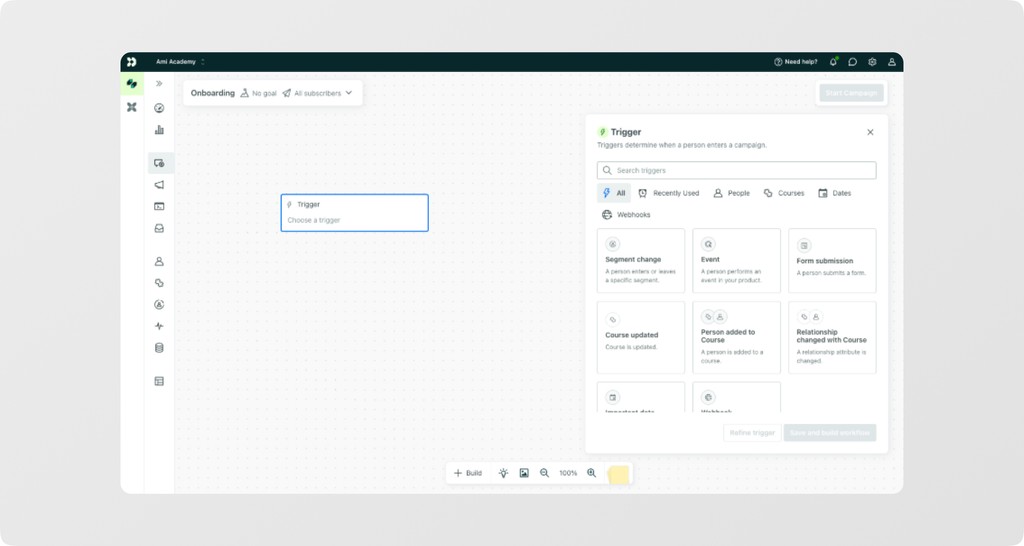
Customer.io is a behavioral messaging platform that teams use for onboarding. It sends email, push, SMS, and in-app messages triggered by what users do, guiding new customers toward meaningful actions.
It works best when you already send it clear behavioral data from your product.
Customer.io features
- Behavioral triggers: Send messages based on what users do
- Segmentation: Reach the right people with data-driven segments
- Multi-channel campaigns: Coordinate email, SMS, push, and in-app messaging
- Workflow engine: Automate journeys with logic
Customer.io pricing
Customer.io's Essentials plan starts at $100 per month, billed monthly, for 5,000 profiles and 1 million emails per month. Premium starts at $1,000 per month, billed yearly, and Enterprise is custom. Checked on customer.io/pricing, October 26, 2026.
Costs rise with your profile count, and extra email volume is an add-on.
How Customer.io fits into your customer onboarding tech stack
Customer.io works best for PLG companies with complex onboarding journeys that require different paths for different user segments. It helps reduce drop-off by guiding users through onboarding based on real behavior rather than assumptions.
How to set up your customer onboarding tech stack?
Your customer onboarding tech stack determines whether new users become loyal customers or churn quickly. Unlike marketing tools that attract users, onboarding tools must deliver immediate value and guide users toward meaningful product adoption.
Too many tools, or too few of the essentials, both cost you activation. Here are some tips to help you build your customer onboarding tech stack:
Assess your starting point
Early-stage startups (<$1M ARR) should focus on 1-2 core tools, typically walkthroughs and messaging. Mid-market companies ($1M–$10M ARR) can support 3-4 integrated tools, while enterprise teams can deploy comprehensive stacks with specialized solutions.
Match tools to onboarding complexity
Choose tools based on the complexity of your onboarding. Simple SaaS products with linear flows benefit from walkthroughs and videos (Layerpath or Wistia), basic analytics (Google Analytics), and email automation. Complex B2B products with multi-stakeholder adoption benefit from behavioral analytics (Amplitude), in-app guidance (Userpilot), and shared onboarding plans for each customer.
Budget allocation
One starting point is a 50/30/20 split: 50% on engagement via messaging and walkthrough tools, 30% on tracking, and 20% on optimization and testing. Adjust based on your model: sales-led teams should prioritize demos, while PLG teams should invest more in behavioral messaging.
Pro Tip: Use customer lifetime value to guide your budget. Products with $500+ LTV can justify premium tools, while sub-$100 LTV products should stick to essentials.
Start small, scale smart
Master basic tools before adding complexity. Perfect email automation before behavioral triggers, build effective walkthroughs before advanced personalization, and refine funnel analytics before cohort analysis.
Team capabilities
Technical teams can handle complex setups like Customer.io’s behavioral triggers. Non-technical teams benefit from no-code solutions like Chameleon, Userpilot, or Layerpath. Sales teams need demo tools they can customize independently. Match tool sophistication to your team’s skills and implementation capacity.
Remember: the best onboarding stack is the one your team actually uses. And successful onboarding programs succeed through consistent execution with simple tools, not by relying on complex platforms with endless features.
Best practices for customer-first onboarding programs
Getting onboarding right isn't just about having the right tools. It's about using them strategically. Here are five strategies that separate high-performing onboarding programs from those that waste resources and lose users:
- Front-load value delivery within the first session: Users decide whether to stick around within minutes, not days. Design your onboarding to showcase core value immediately rather than explaining every feature. If users can't complete one meaningful task in their first 15 minutes, your onboarding is too complex.
- Segment users and personalize their journey. A marketing manager exploring your analytics tool needs different guidance than a developer setting up integrations. Use behavioral data and role-based segmentation to deliver relevant experiences instead of generic tours that bore power users and overwhelm beginners.
- Measure leading indicators, not just vanity metrics: Track activation events that predict long-term success, like connecting a data source, inviting team members, or completing a workflow, rather than surface-level engagement like email opens.
- Automate the routine, personalize the critical moments: Use behavioral triggers to send timely reminders and celebrate milestones automatically, but reserve human touchpoints for high-impact moments like feature adoption blockers or expansion opportunities.
- Continuously optimize based on drop-off data, not assumptions: Most onboarding improvements come from fixing specific friction points, not adding more features. A single fix to a confusing navigation element often improves activation more than an entirely new onboarding flow.
How Layerpath fits a customer onboarding program
The hardest part of onboarding content is keeping it accurate after each release. Layerpath is built around that job:
- One source for each workflow: an interactive tour, a step-by-step guide, and a video export from the same project
- Updates without re-recording: edit the steps that changed, then generate a new video export if you need one
- Viewer insights: see where people drop off in a walkthrough and which steps they replay
Want to try it on one real onboarding workflow? Start free or talk to sales.
Related reading
- A guide to interactive demos for customer success teams
- Product walkthrough software: a buyer's guide
Frequently asked questions (FAQs)
1. What's the difference between an onboarding flow and a product tour?
An onboarding flow is the complete journey from sign-up to activation, including emails, tasks, and milestones. A product tour is a specific interactive walkthrough showing users how to use features.
2. Do I need separate tools for email and in-app onboarding?
Most companies benefit from separate tools because email platforms shine at behavioral messaging, while in-app tools focus on contextual guidance. Integrated platforms exist, but often compromise on specialized features that drive better conversion rates.
3. How do I know if my onboarding stack is too complex?
If your team spends more time managing tools than analyzing results, or if you can't trace a clear path from user action to business outcome across your stack, you've over-engineered your onboarding tech stack. Start with 2-3 core tools maximum.
4. What metrics should I track to measure onboarding success?
Focus on activation rate (users completing key value actions), time-to-value (days to first meaningful outcome), and onboarding completion rate. These three metrics predict long-term retention better than vanity metrics like email open rates.
Ready to try it? Start free with Layerpath.