
Introducing the editor
We rebuilt the editor.
Shape the tour on one continuous, vertically scrolling canvas: arrange the sequence, place hotspots, edit callouts inline, and add voiceover.

Madhubala Founding Engineer

Karnesh Founding Designer
AUG 26, 2026
AUG 26, 2026
4 min read
4 min read

Explore with AI
Explore with AI
Explore with AI
Explore with AI
Explore with AI
Open in Gemini
Open in Gemini
Open in Grok
Open in Grok
Open in ChatGPT
Open in ChatGPT
Open in Claude
Open in Claude
Open in Perplexity
Open in Perplexity
On this page
A captured workflow is not an explanation. It's raw material.
The screens may be right. The clicks may be right. The story can still be wrong. Most editors respond by giving you more controls. We wanted fewer barriers between the creator and the work.
So we rebuilt the editor: not as a new coat of paint, but around how you move through a tour and work on each step. The principle was simple: editing should feel less like configuring a tour and more like shaping one.
A captured workflow is not an explanation. It's raw material.
The screens may be right. The clicks may be right. The story can still be wrong. Most editors respond by giving you more controls. We wanted fewer barriers between the creator and the work.
So we rebuilt the editor: not as a new coat of paint, but around how you move through a tour and work on each step. The principle was simple: editing should feel less like configuring a tour and more like shaping one.
Work where the work is
The tour remains an ordered sequence. What changed is how close you can work to it.
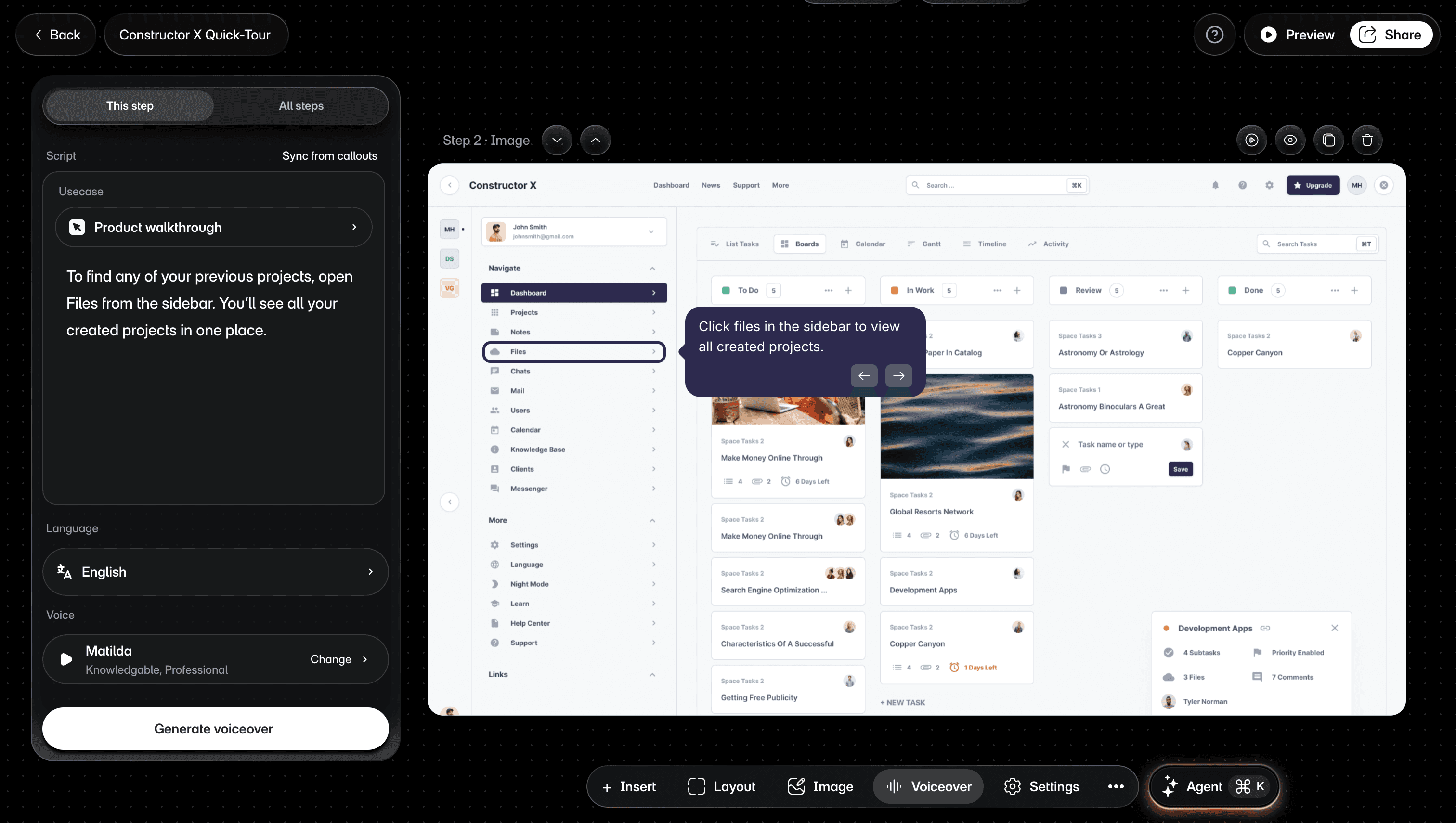
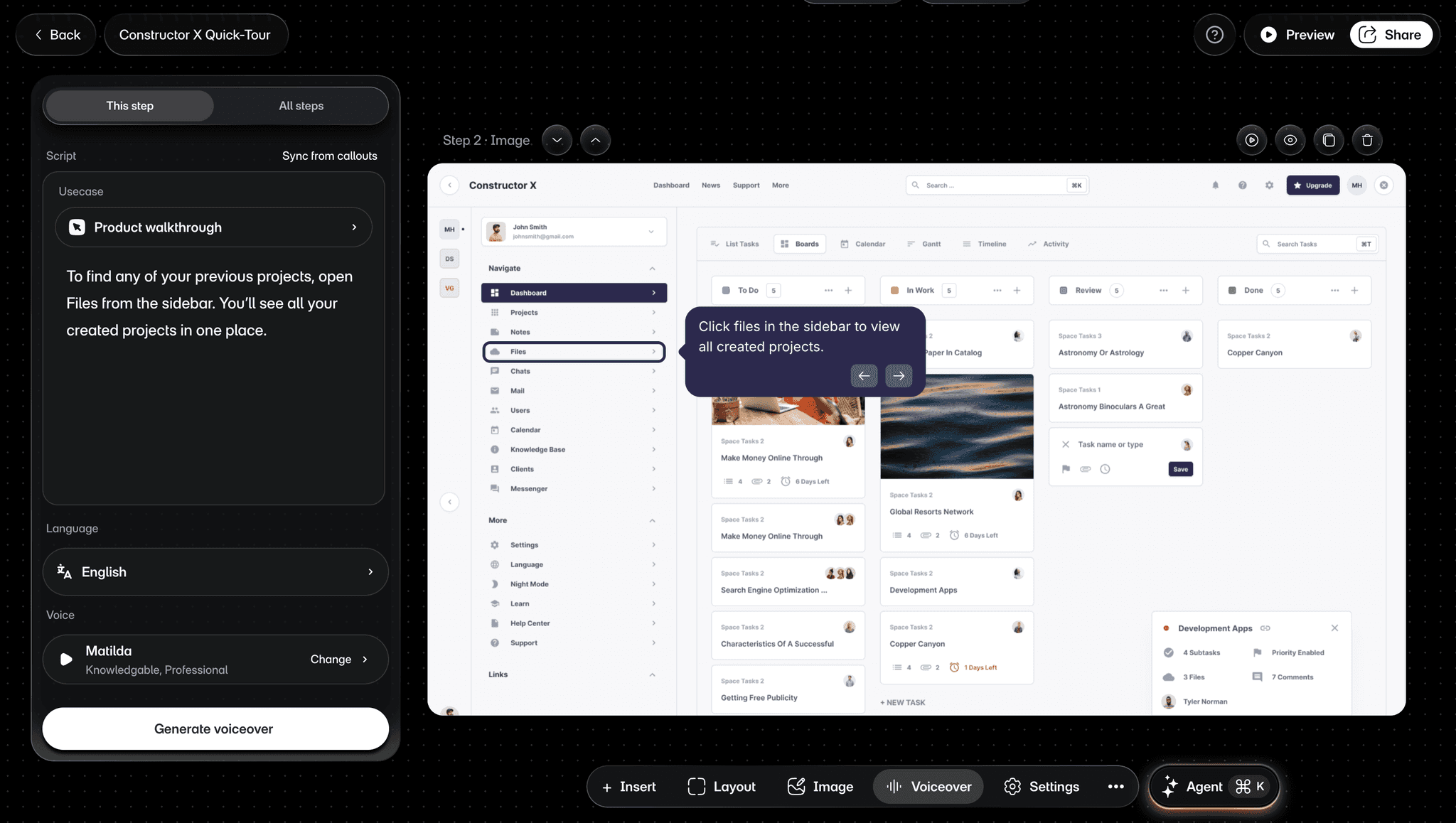
Select a step and work on it while the complete tour remains close at hand. The steps sit on one continuous, vertically scrolling canvas, so you can move through the tour without selecting each step from a side panel just to edit it. Position a hotspot against its target. Edit a callout where its words appear, then preview the path as the viewer will experience it. Select another element and its controls appear. Move into layout or voiceover when the step needs a broader change.
That sounds obvious. We think it should be.
The tour remains an ordered sequence. What changed is how close you can work to it.
Select a step and work on it while the complete tour remains close at hand. The steps sit on one continuous, vertically scrolling canvas, so you can move through the tour without selecting each step from a side panel just to edit it. Position a hotspot against its target. Edit a callout where its words appear, then preview the path as the viewer will experience it. Select another element and its controls appear. Move into layout or voiceover when the step needs a broader change.
That sounds obvious. We think it should be.
Shape the complete tour
A tour is an ordered explanation, and the step list is its spine. Add an image, recording, or blank step when the story needs another moment. Trim the beginning or end of a video step without leaving the tour. Reorder, duplicate, or hide steps until the sequence says only what it needs to.
A product screen shows everything that was visible. A good tour identifies what matters now. Mark a control with a hotspot, frame a region with an area, or add a callout when the viewer needs an instruction. Then use layout, backgrounds, zoom, and mask to decide what they notice first. A step can look right by itself and still weaken the complete tour, so preview the sequence before you share.
Make the tour sound like you
Write voiceover for one step or the complete tour. Sync the script from callouts, choose an AI voice, or record your own narration. Good narration adds what the viewer can't already see. It does not simply repeat the callout text.


Ask Agent or take control
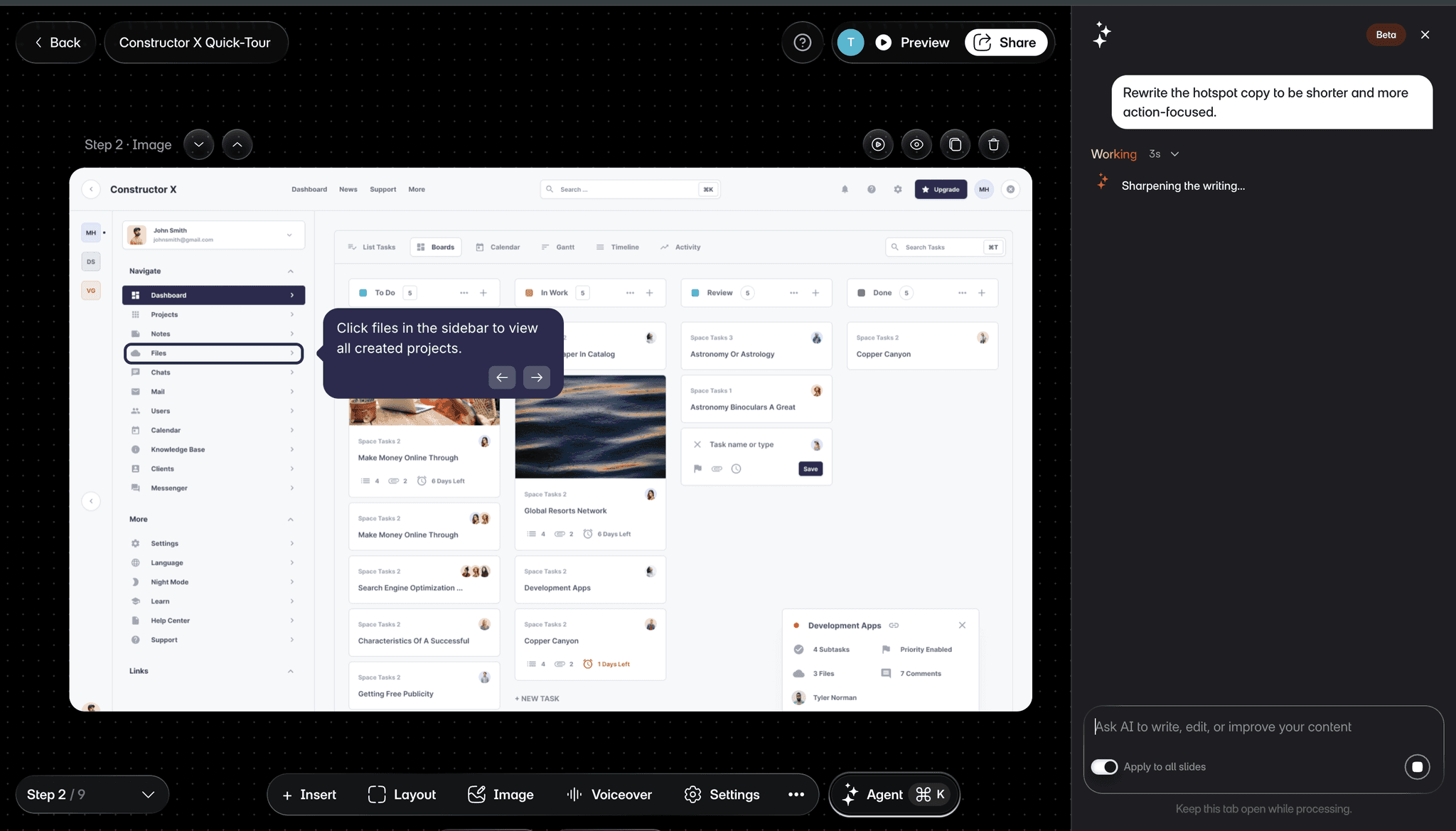
When you know the exact adjustment, make it in the editor. When the direction is broader, such as improving the writing, adding voiceover, or translating content, ask Agent. Agent is currently in Beta, so review what it proposes before applying the changes.


One tour, edited together
Multiple people can open the same tour at the same time. You'll see a colored cursor and name tag for every teammate currently editing as they move around the canvas. Drag a hotspot and everyone watching sees it glide into its new position, not jump there. Nobody needs to ask whether someone is still in the tour before making a change. The editor already knows.
Obvious is hard work
The finished editor should feel natural. Building it was anything but.
Every control raised another question. Should it stay visible or appear only in context? How close should a callout sit to its target? How quickly can someone move between one step and the complete tour? No individual answer makes an editor feel direct. The feeling comes when all of them agree.
We rebuilt the editor because the final explanation still needs human taste: what to emphasize, what to remove, what to rewrite, what to leave alone. A capture can give you the material. Agent can help with a pass. The editor is where you make it yours.
This is the editing experience we wanted Layerpath to have. Now it does.
The finished editor should feel natural. Building it was anything but.
Every control raised another question. Should it stay visible or appear only in context? How close should a callout sit to its target? How quickly can someone move between one step and the complete tour? No individual answer makes an editor feel direct. The feeling comes when all of them agree.
We rebuilt the editor because the final explanation still needs human taste: what to emphasize, what to remove, what to rewrite, what to leave alone. A capture can give you the material. Agent can help with a pass. The editor is where you make it yours.
This is the editing experience we wanted Layerpath to have. Now it does.
Your turn to shape it
Open a project, work directly on each step, and turn the raw material into an explanation ready to share.
Agent assembles the project from your source material and instruction You decide what changes before the tour is shared.
Workflow training ideas worth stealing
Product updates, news, and walkthrough examples.
Workflow training ideas worth stealing
Product updates, news, and walkthrough examples.
Workflow training ideas worth stealing
Product updates, news, and walkthrough examples.
Workflow training ideas worth stealing
Product updates, news, and walkthrough examples.
New
We rebuilt the editor. Less panel hunting. More shaping.