
A screenshot should feel like something you can work on, not something buried underneath panels and settings.
The old Layerpath editor often made simple changes feel indirect. Select something, find its settings, make the change, then return to the canvas to see whether it worked.
We rebuilt the editor to close that distance.
The result is a canvas where the thing you are changing and the controls you need stay much closer together.
Work where the work is
Making a change should not pull you away from what you are editing.
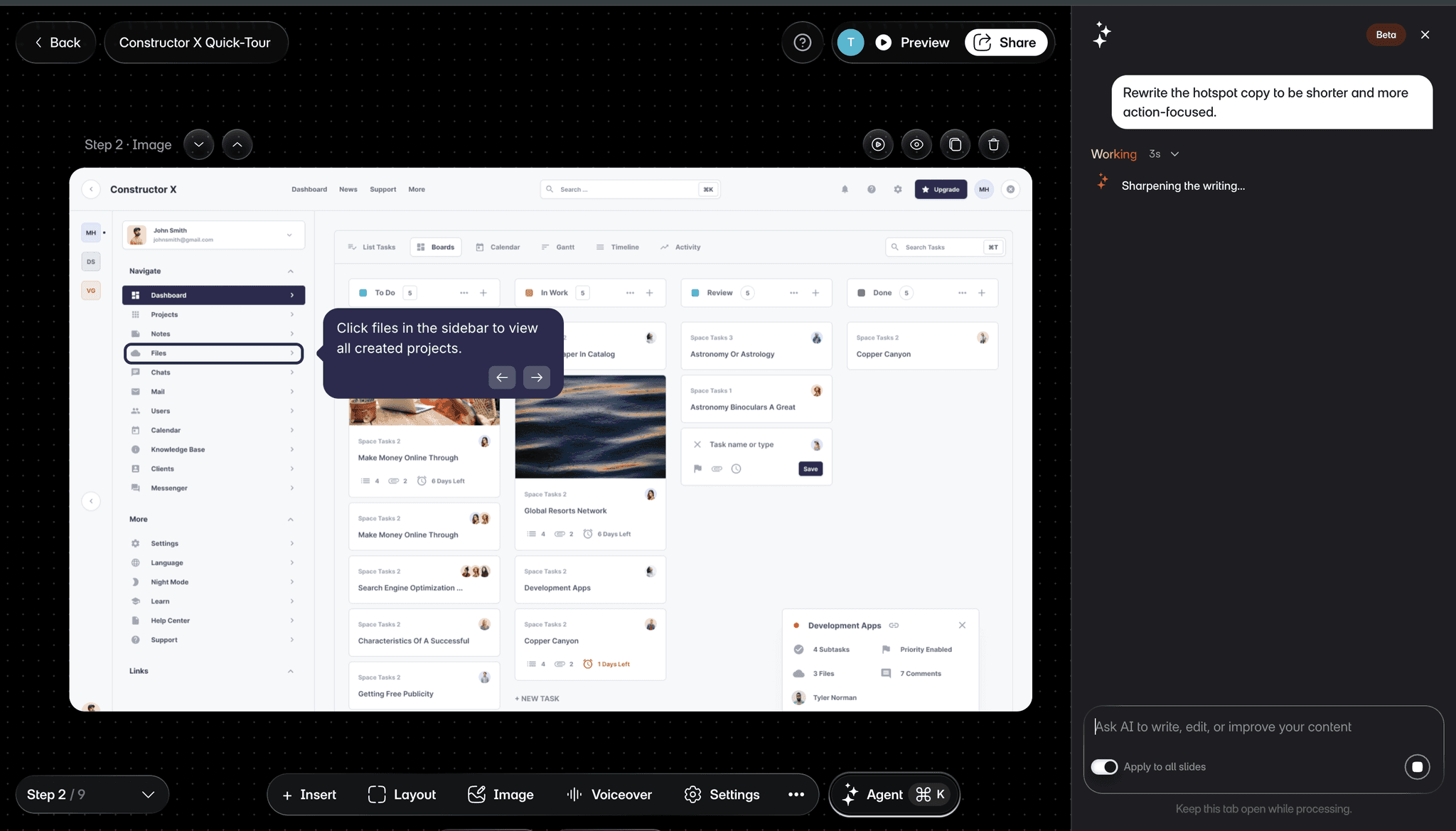
Select a callout and edit its words where they appear. Move a hotspot against the part of the screen it belongs to. Bring up the controls for the selected element without leaving the canvas to hunt through unrelated settings.
You can still make detailed adjustments when you need them. The difference is that the selected step, the change you are making, and its result stay in context.
The goal was not to give you more controls. It was to put less interface between you and the work.
Shape the complete tour
Editing is not only about changing one callout or hotspot.
Sometimes the whole tour needs work.
Add or remove steps. Reorder the sequence. Insert a blank step when the story needs something beyond a captured screen. Adjust the layout, background, zoom and other presentation details as you move through the tour.
The editor gives you precise control over the individual step without making you lose sight of the larger experience you are building.
Make the tour sound like you
Voiceover is part of the editing experience too.
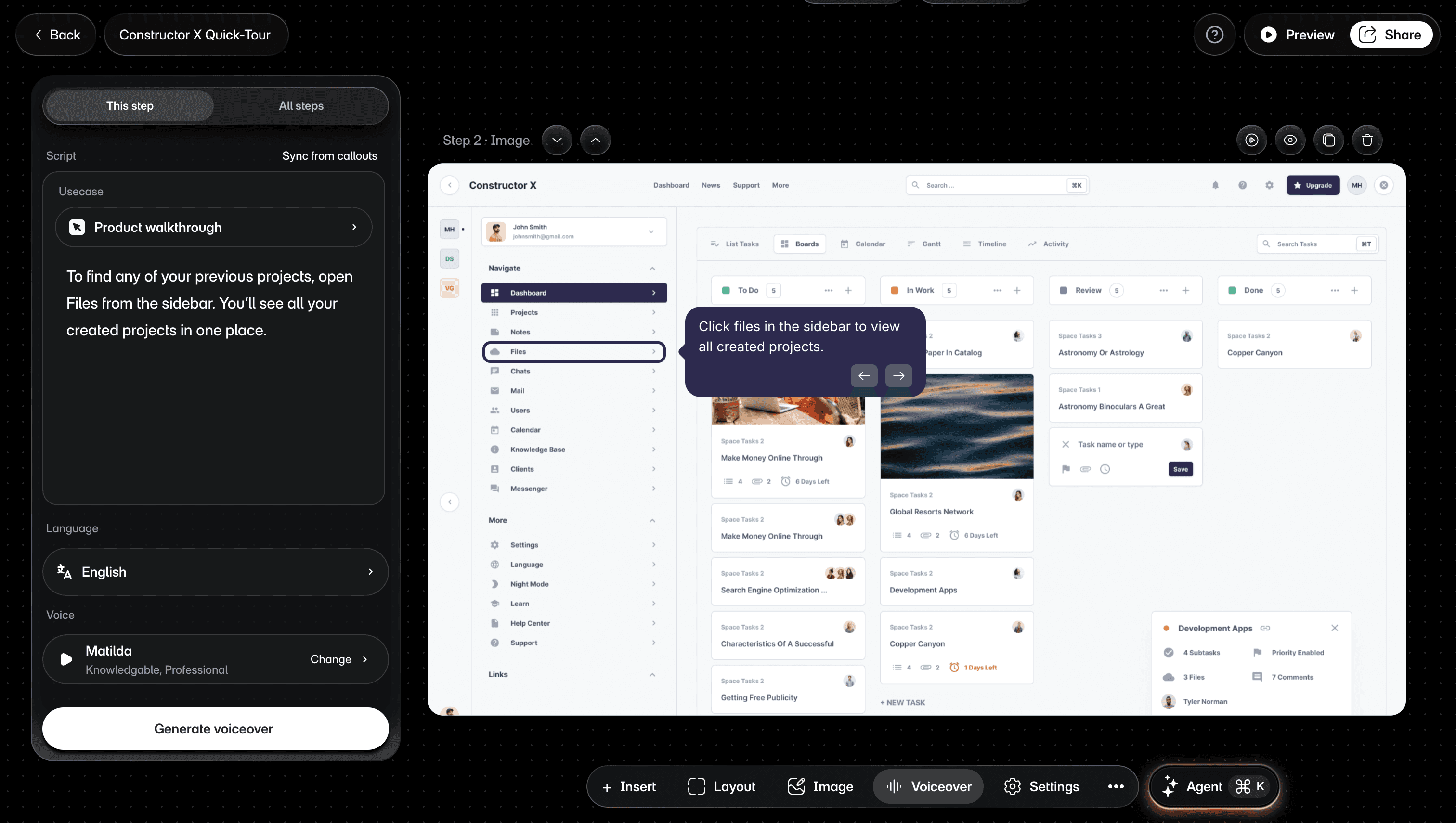
Write or refine the script for a step, sync narration from your callouts, choose an AI voice, or record your own narration.
The script stays connected to the step it belongs to, so you can review the visual and the words together before you share the finished tour.
Ask Agent or take control
Not every edit should require the same kind of interaction.
When you know the exact adjustment you want, make it directly in the editor.
When the direction is broader, ask Agent.
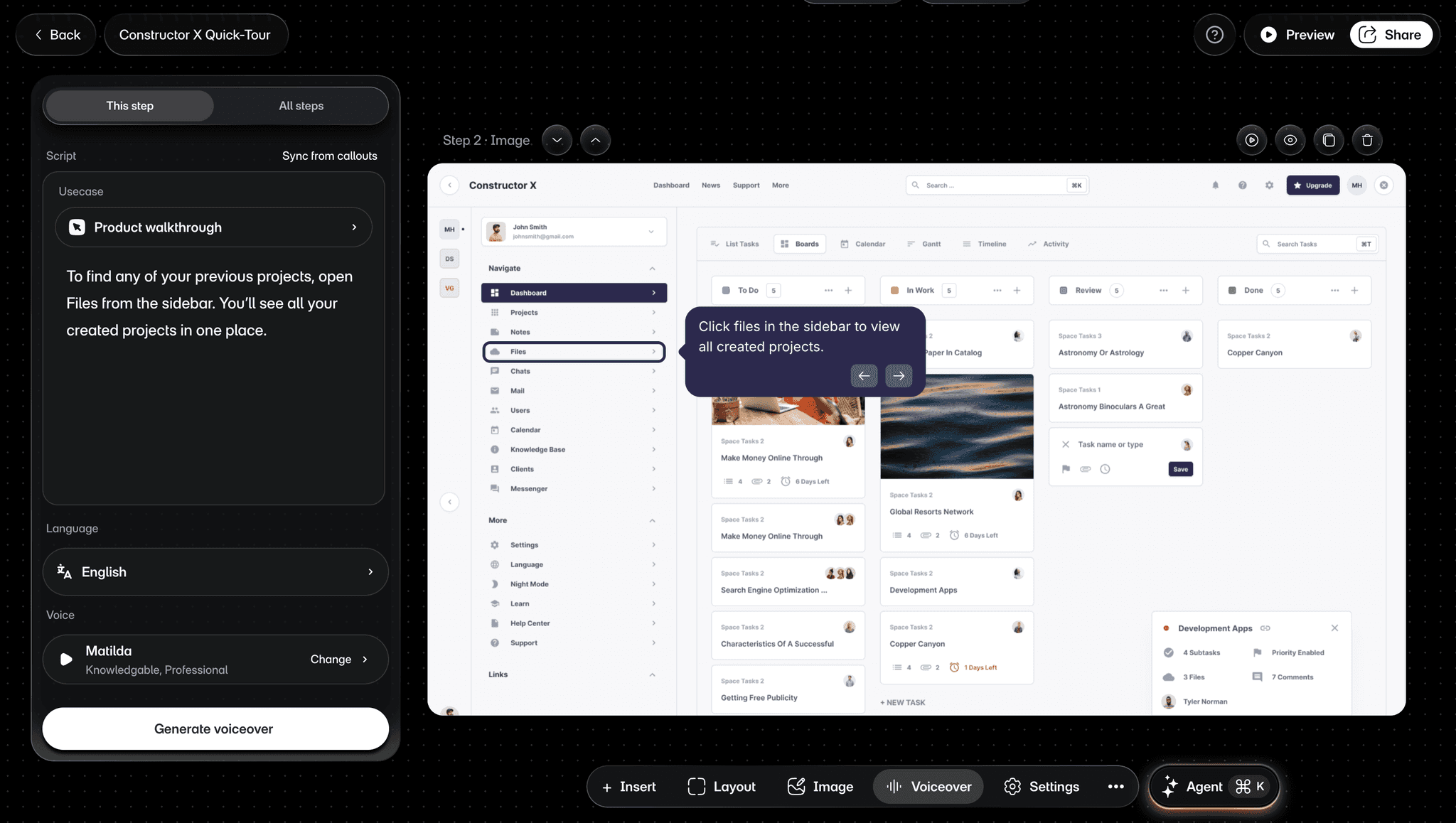
You might want to improve the writing, update voiceover, translate content, or describe another change in plain language. Agent can help perform supported editing work while you review the result.
Agent is still in Beta. You remain in control of what gets changed, and the manual editor is always there when precision or judgment matters.
That distinction is intentional:
Know exactly what you want to change? Take control.
Know the outcome you want? Ask Agent to help with the mechanics.
One tour, edited together
A tour rarely belongs to one person forever.
Someone captures the workflow. Someone else improves the explanation. Another person reviews the result before it is shared.
The rebuilt editor is designed to make that work easier to follow without separating the team from the tour itself.
When teammates work on the same tour, the goal is simple: keep the work visible, keep changes understandable, and make it easier to shape the final result together.
Obvious is hard work
The best editing interactions often feel obvious once they exist.
The hotspot moves where you expect.
The words can be changed where you see them.
The relevant controls appear when you need them.
You can move from one step to another without losing the larger story.
None of those decisions alone makes an editor feel direct. The feeling comes when all of them work together.
And even as Agent takes on more mechanical work, there will still be moments that need human judgment: what should be said, what feels right, what should stay, and what should change.
That is why we rebuilt the manual editor rather than treating it as something AI would make unnecessary.
AI can help do more of the work.
You should still have complete control when it matters.
This rebuild gives Layerpath the editing foundation we have been working toward.
Now we keep making the work itself easier.