Changelog archive
Everything Layerpath shipped across 2024 and 2025.
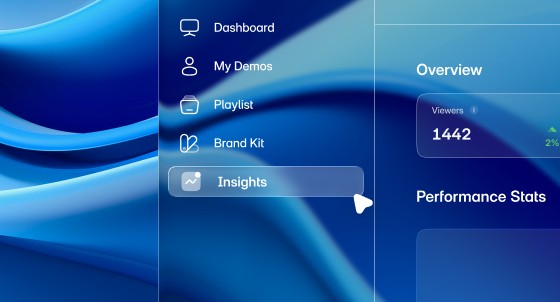
Introducing Advanced Analytics
Analytics Overhaul
Workspace Insights Dashboard & Tour Insights
Overview Metrics:
Total Views: Combined initial views and replays across all demos.
Unique Visitors: Distinct visitor count for shared projects.
Completion Rate: Percentage of visitors viewing entire tours.
Lead Generation Rate: Form submission percentage with period-over-period comparisons
Performance Stats:
Trending Project: Auto-highlighted demo based on engagement score (view growth, completion rate, leads, time spent)
Most Viewed Demo: Highest view count in selected period.
Best Completion Rate: Highest percentage of complete tour views.
Most Leads: Highest form submissions.
Highest Dropoff: Most frequent abandonment points.
Activity Analysis:
OS Breakdown: Windows, macOS, iOS, Android distribution.
Country Distribution: Geographic breakdown with country codes.
Browser Usage: Browser type analysis.
Device Type: Desktop, mobile, tablet categorization with stats.
Recent Projects Table:
Performance metrics: Views, watch rate, completion rate, drop-off rate per project
Project previews with thumbnails, names, and creation dates
"See All" option for complete workspace metrics
Demo Preview:
Interactive navigation controls (forward/backward through slides)
Content preview supporting images and videos.
In-preview video playback.
Position indicator showing current slide in tour sequence.
Key Metrics:
Views Counter: Total tour views.
Completion Rate: Percentage viewing entire tour.
Watch Rate: Average percentage of slides viewed (based on furthest slide reached)
Leads: Total leads and conversion rate for forms.
Replay Count: Repeat viewing statistics.
Performance Timeline:
Interactive multi-metric chart (visits, plays, completions)
Date filters: All Time, Past 7 Days, Past 30 Days, Past 12 Months, Custom Range
Hover functionality for detailed date-specific metrics
Color-coded series: "Total Visitors", "Started Tour", "Completed Tour"
Responsive design adapting to screen sizes
Activity Breakdown:
OS Analytics: Distribution with percentages and counts.
Geographic Data: Visitor country breakdown.
Browser Stats: Browser usage statistics.
Device Analysis: Desktop vs mobile vs tablet
Improvements & Fixes
Tour Navigation
Path AI Agentic Navigation Support:
Enhanced tour navigation system to support Path AI integration
Enables intelligent, AI-driven navigation flows
Foundation for adaptive demo experiences
General Fixes:
Improved recording stability in Chrome extension.
Fixed edge cases in AI text generation.
Enhanced performance for large workspace analytics
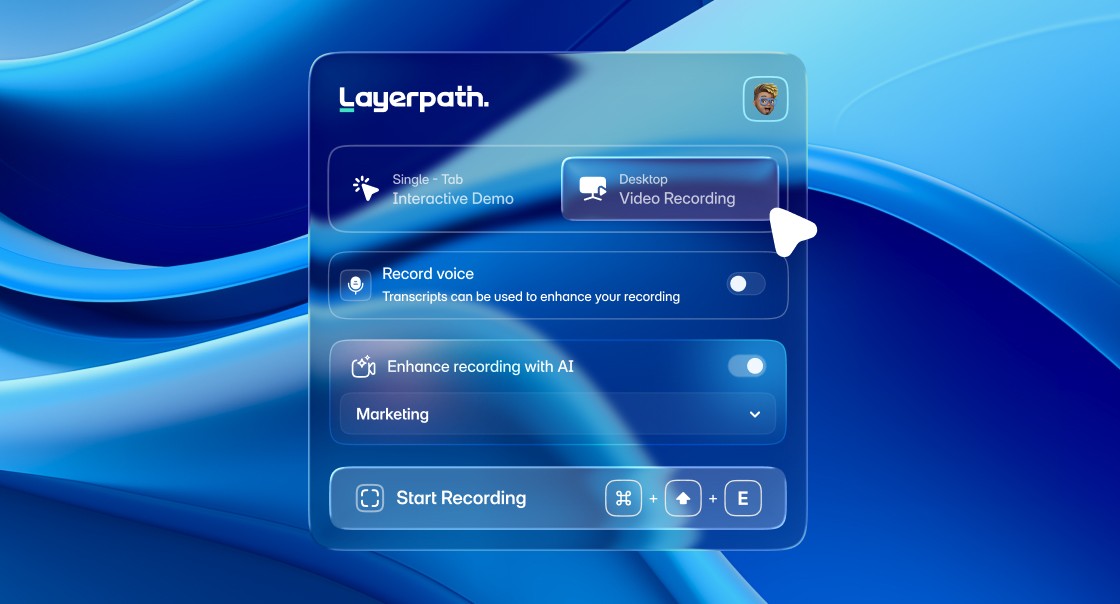
Chrome Extension & AI Features
Chrome Extension Enhancements
Audio Recording for Interactive Demos
Upload a video from your computer, and Layerpath will generate a tour and guide for you automatically:
Added audio recording capability during demo capture.
AI automatically generates hotspot text from voice narration.
Eliminates manual text writing after recording.
Available in Interactive mode for Tours, Guides, and Videos.
Full Desktop Recording:
New Desktop mode captures entire screen, not just browser tabs.
Exclusive to Video format.
Perfect for desktop applications and multi-tool workflows
Dual Recording Modes:
Interactive Mode: Single browser tab → Generates Tours, Guides, or Videos.
Desktop Mode: Full desktop screen → Video format only.
AI processing for automatic text generation (Marketing, Sales, Support use cases)
Improvements & Fixes
Video Editor
Video Split Feature Rework:
Redesigned video splitting interface for improved intuitiveness
Enhanced UI/UX for easier timeline navigation
Simplified split point selection and management
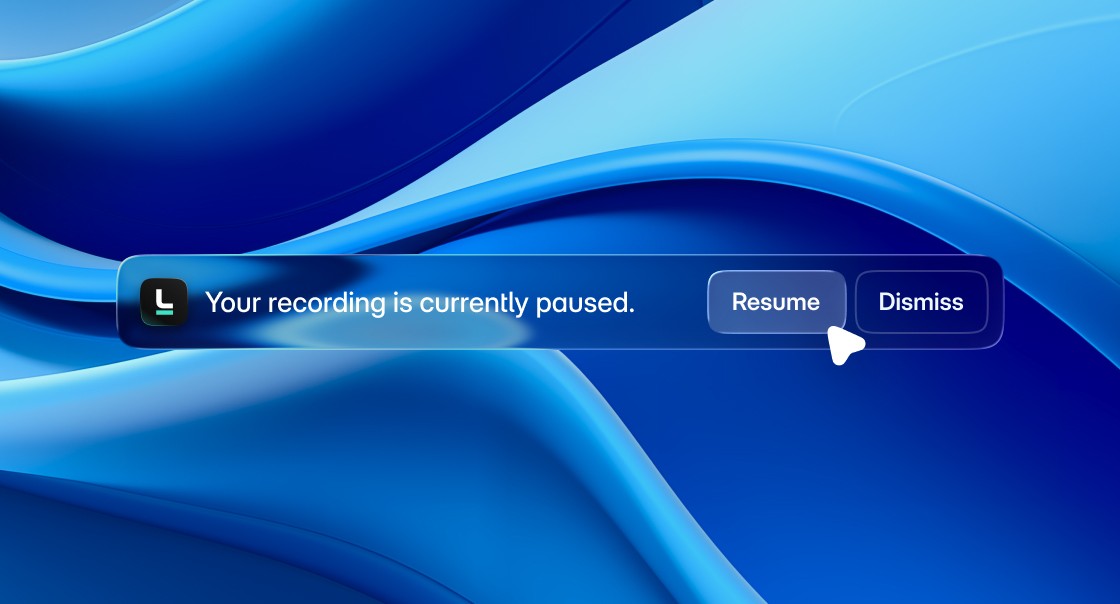
Chrome Extension Enhancements
Chrome Extension — Pause / Resume Controls
Chrome extension now supports pause/resume functionality using keyboard shortcuts.
New Keyboard Shortcuts:
Cmd + Shift + E/Ctrl + Shift + E— Start or Stop recording.Cmd + Shift + P/Alt + Shift + P— Pause or Resume recording.
Video Sharing Enhancements
New Feature: Added comments and reactions to video sharing functionality.
Improved UX: Videos now automatically notify users when re-rendering is needed after changes are made.
Previous Release: Core video sharing feature was introduced in the last release.
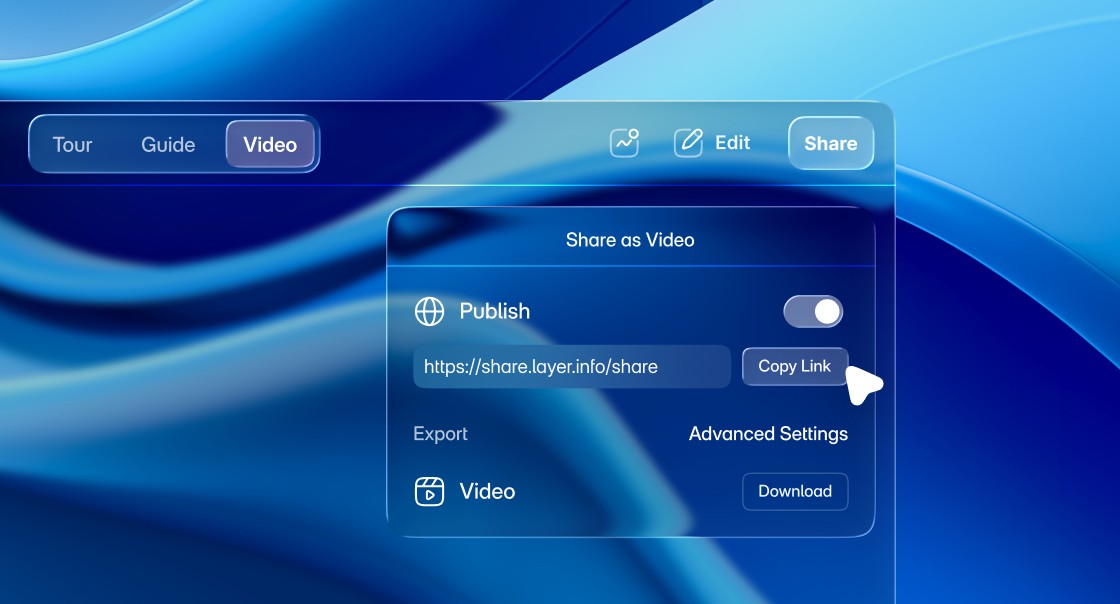
Introducing Video Sharing Feature
Video Sharing & Collaboration
New video sharing feature for internal and external collaboration.
Insights dashboard now shows video metrics like views and countries.
Upcoming: reactions, comments, and advanced engagement insights.
AI-Powered Demo Creation
New Chrome extension was built from scratch for a smoother recording experience.
Integrated AI automatically generates demo descriptions while preserving context.
Enables best-in-class single-step demo creation - from capture to description.
Onboarding Experience
Enhanced onboarding flow for faster and more intuitive setup.
Guided onboarding is temporarily disabled while graphics are being prepared.
Editor Improvements
Fixed hotspot positioning with improved scaling and sync between editor and preview.
Added on-the-fly resize when zooming for better control.
Resolved button configuration issues for stable functionality.
Improved responsive design with fixed container overflow and optimized sidebar widths.
Workspace Management
Move projects between workspaces for better collaboration.
Unified default language settings with enhanced Brand Kit–based language selection.

Feature Updates & Enhancements
Account Management & Subscription
Your account experience is now simpler and more transparent:
Self-serve account deletion with a clear confirmation flow.
14-day grace period before accounts are permanently removed.
Easier subscription cancellation with smoother downgrade to Free plan.
Role changes available after invite acceptance.
Improved sign-up reliability with password support fixed.
New 404 and 500 error pages for clearer feedback.
Fixed Invite Member popup display issues.
Product Features
Smarter tools for creating and editing demos:
Video to Demo now supports YouTube URLs, with instant conversion notifications.
Enhanced Tour Video Editor with auto-scrolling and responsive controls.
Voiceover improvements including more voice options and better previews.
User Experience Improvements
Polish and fixes across the platform for a smoother journey:
Cleaner account settings for easier navigation.
Improved accessibility and clearer subscription flows.
Background display issues resolved for popups and dialogs.
Platform Enhancements & User Experience Updates
Voice Generation System Overhaul
Your audio experience just got a major upgrade:
Transitioned fully to ElevenLabs as the voice provider
Expanded to 32 languages and 300+ unique voices with native accents.
Faster feature rollouts with no separate porting needed.
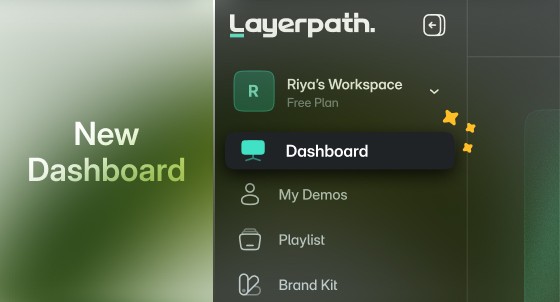
Dashboard Redesign & Onboarding Improvements
A refreshed dashboard designed for easier navigation and activation:
Dynamic announcement banner for feature updates and tips.
Improved onboarding checklist guiding new users step-by-step.
Collapsible sidebar for a larger, distraction-free workspace.
General UI polish for a modern and professional look.
Mobile Responsiveness – First Steps
The foundation for a smoother mobile experience is now live:
Core structure updated for better layouts on smaller screens.
Fixed critical issues affecting mobile usability.
Noticeable improvements today, with full optimization coming soon.
Platform Updates & Customer Experience Enhancements
Unified Multi-Brand Platform
Your experience is now seamless across all our brands:
One consolidated codebase powering Layerpath.
Brand-specific configurations keep unique identities intact.
Faster feature rollouts with no separate porting needed.
Next-Gen Tour System
A complete rebuild for smoother, smarter tours:
Lightning-fast updates powered by React Query.
Smarter editing with better error handling and real-time feedback.
Accessibility upgrades including keyboard navigation, alt tags, and proper titles.
Performance & Reliability Fixes
HD video exports now more reliable and memory-efficient.
Zoom controls fixed for a smoother interface.
Improved typography with faster, cleaner font loading.
Stronger login and role-based permissions for enhanced security.

Pricing Updates & Plan Enhancements
Enhanced Free Plan
Your free experience just got a major upgrade:
Full-featured demo editor with no restrictions on editing capabilities.
HD video exports (1080p quality) included at no cost
Record with Extension 4x more than before.
Complete branding toolkit add your logo and colors from day one.
Embed demos anywhere share on websites with full functionality.
Basic analytics included track views, completions, and engagement time.
The only limitation? You get 1 demo to start (previously called "projects"). Need more? Upgrading unlocks unlimited demos instantly.
Simplified Pro Plan
No more confusing tiers:
$99/month when billed annually.
Everything unlimited: demos, HD exports, AI voiceovers.
5 editor seats included (additional seats just $8.33/month when billed annually)
Custom domains, advanced analytics, and team collaboration built-in.
Fixes
Resolved memory allocation issues causing video rendering failures.
Fixed audio synchronization problems in exported videos.
Eliminated CORS errors from storage provider affecting file uploads and downloads.
Improvements
Faster Everything
Project actions like loading, cloning, deleting, and sharing are now up to 20x faster. Everything feels quicker and smoother!
Easier Password Reset
You can now reset your password via email - simple and secure.
Multi-Tab Recording in Chrome Extension
You can now record interactive demos across multiple browser tabs - great for showing workflows that span different tools or pages.
Enhancements - Better Overall Experience:
Title edits are faster.
Visuals are cleaner and more consistent. Improved stability for large projects.
Fonts now appear correctly in videos and guides.
PDF exports are more reliable.
Autoplay in tours shows a helpful message and pauses interactions to avoid confusion.
Improvements
Video Rendering Efficiency
Improved download efficiency allows users to download videos of any length within minutes.
Background Customization in Advanced Settings
Removed background customization for tours and guides during export for better consistency.
Optimized Zoom for Guides
Guides now display in a zoomed-in view for better readability.
Feature Updates & Enhancements
Fixes:
Guide PDF Download in Beta Guides can now be downloaded as PDFs without errors.
Background Music Playback Background music now plays smoothly without unexpected stops.
Record with Extension Issue The "Record with Extension" option now functions correctly without redirecting users to the Chrome extension page.
Video Quality on Download Downloaded videos now retain the same quality as set by the user.
Filter by Member Status Filtering members by status now works as expected.
Feature Updates & Enhancements
Video to Docs
Upload a video from your computer, and Layerpath will generate a tour and guide for you automatically.
Improved AI Voiceover Generation AI enhancements now work more efficiently, preventing timeouts and ensuring a smoother experience.
Enhancements:
Project Titles on Hover in Playlists Project titles now appear when hovering over them in playlists, making navigation smoother.
Fixes:
App Error on Video Tab Switch Switching to the video tab no longer triggers an application error.
Guide Content Copying to MDX/DOCX Users can now seamlessly copy guide content into MDX or SmartCopy to DOCX.
Enhancements
Adjusted Volume Controls
Background music volume is now more balanced, giving you better audio control.
Improved AI Voiceover Generation AI enhancements now work more efficiently, preventing timeouts and ensuring a smoother experience.
Enhancements
Added a Deletion Progress Bar
Now, you can track your project deletions in real time.
Fixes
Fixed the Logo Overlapping Navigation The Layerpath logo will no longer cover navigation buttons in tours.
Fixed Project Count Issues Free plan users now see accurate project counts when projects are removed.
Made Opening Projects Easier You can now open projects by clicking on the title, not just the thumbnail.
Enhanced Navigation & Video Editor
Enhanced Guide Navigation
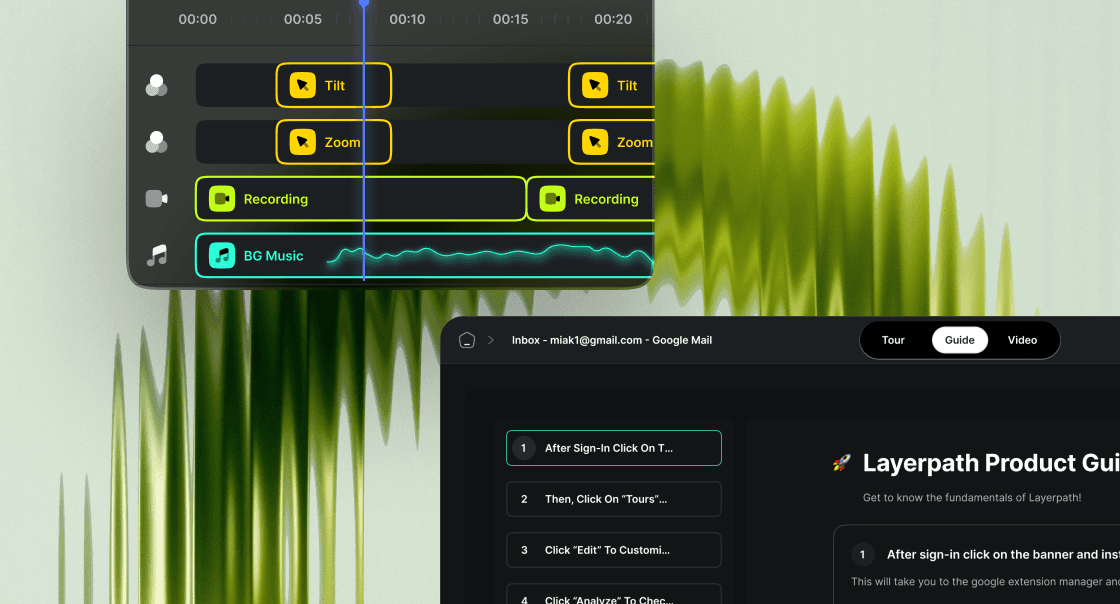
The currently viewed slide is now highlighted in the guide menu, making navigation smoother.
Improved Video Editing You can now scroll, select a portion of your video, and preview or apply edits only to that segment.
Fixes
Fixed the "Start Tour" Button Issue The Start Tour button was staying visible in videos and taking users back to the first slide, but not anymore.
Fixed Jumbled Text in the Last Slide Your text now appears exactly as intended, with no display issues.
Fixed the Full-Screen Escape Function Now, exiting full-screen mode in tours works seamlessly.
Enhancement & Fixes
Expanded Language Support
We're making Layerpath more accessible by adding AI voiceovers for Danish, Indonesian, Italian, Arabic, Romanian, Tamil, and Korean.
Fixes
Fixed Blank Screens in Tours Some recorded sections used to go blank, but we've resolved the issue to ensure all actions are captured clearly.
Resolved BrandKit Font Issues Your videos now properly reflect the fonts you select in Brand Kit.
Improved Slide Duplication Duplicated slides now appear right after the original instead of getting pushed to the bottom.
Enhancement & Fixes
Library Loading Improvements
There was a delay in the loading of the topbar within projects. We've optimized this to ensure faster and smoother topbar loading.
Improved Topbar Loading: Optimized the topbar within projects for faster and more seamless loading.
PDF Brand Colors: Fixed the issue where brand colors were not applied to annotations in exported PDFs.
Enhancement & Fixes
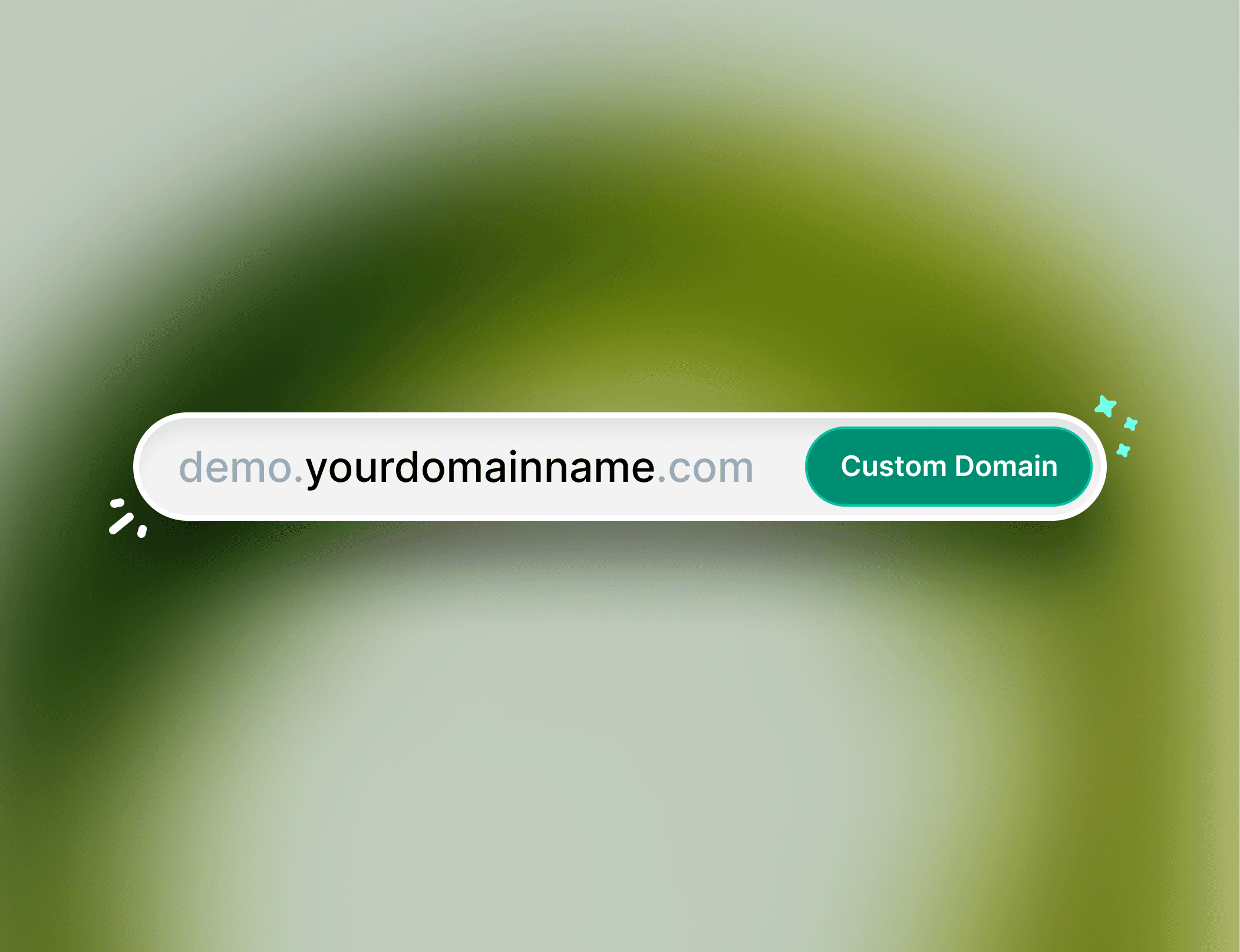
Custom Domain
We have improved the custom domain setup process with clear error messages and provided step-by-step guidance for adding TXT records in your DNS settings.
Fixes
Tour Video Slides Playback: We have resolved an issue where playback speed settings for embedded tour videos were not applied correctly.
Feature Update
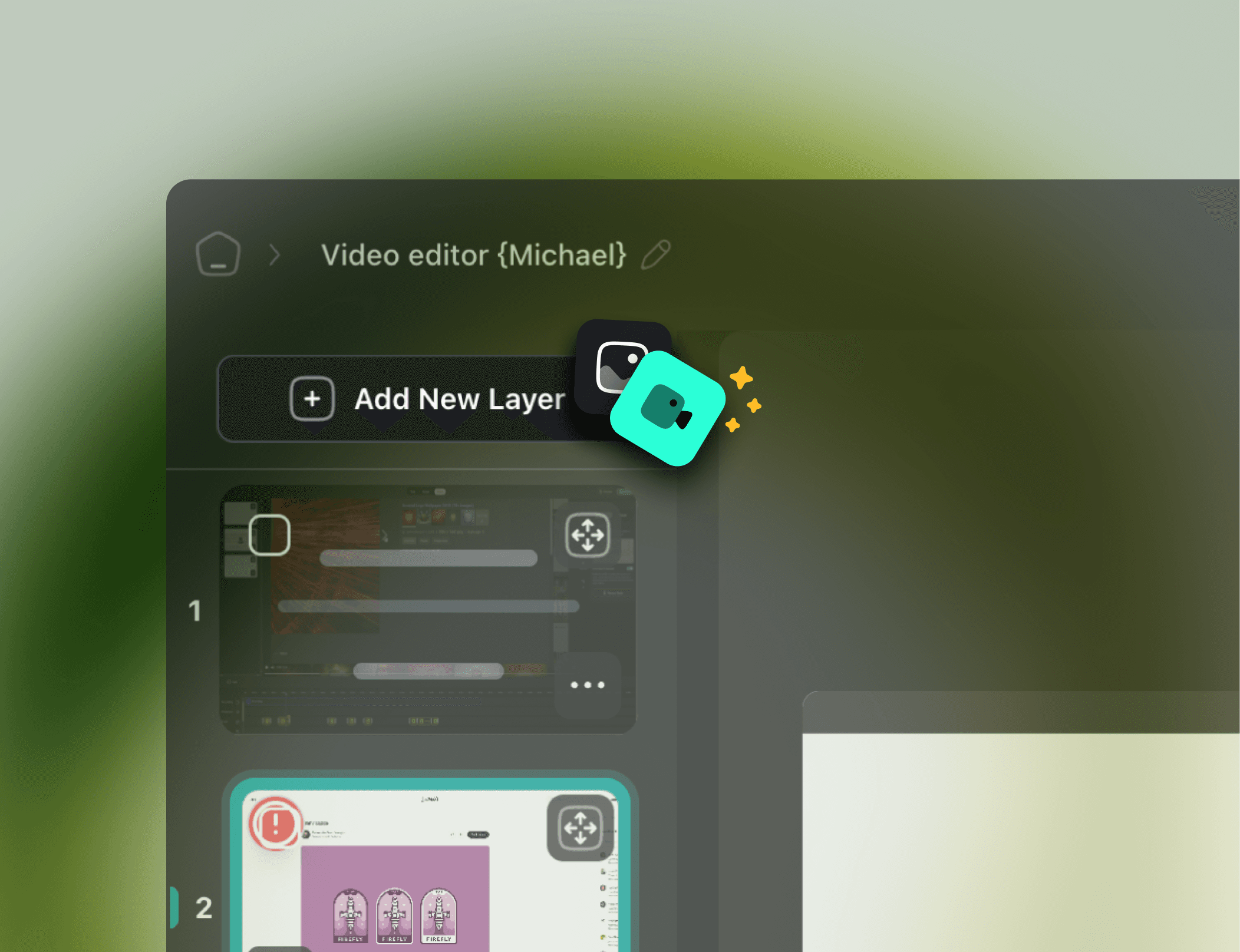
Upload Video in Tours
You can now upload videos directly from your computer to enhance and customize your tours further.
Enhancement & Fixes
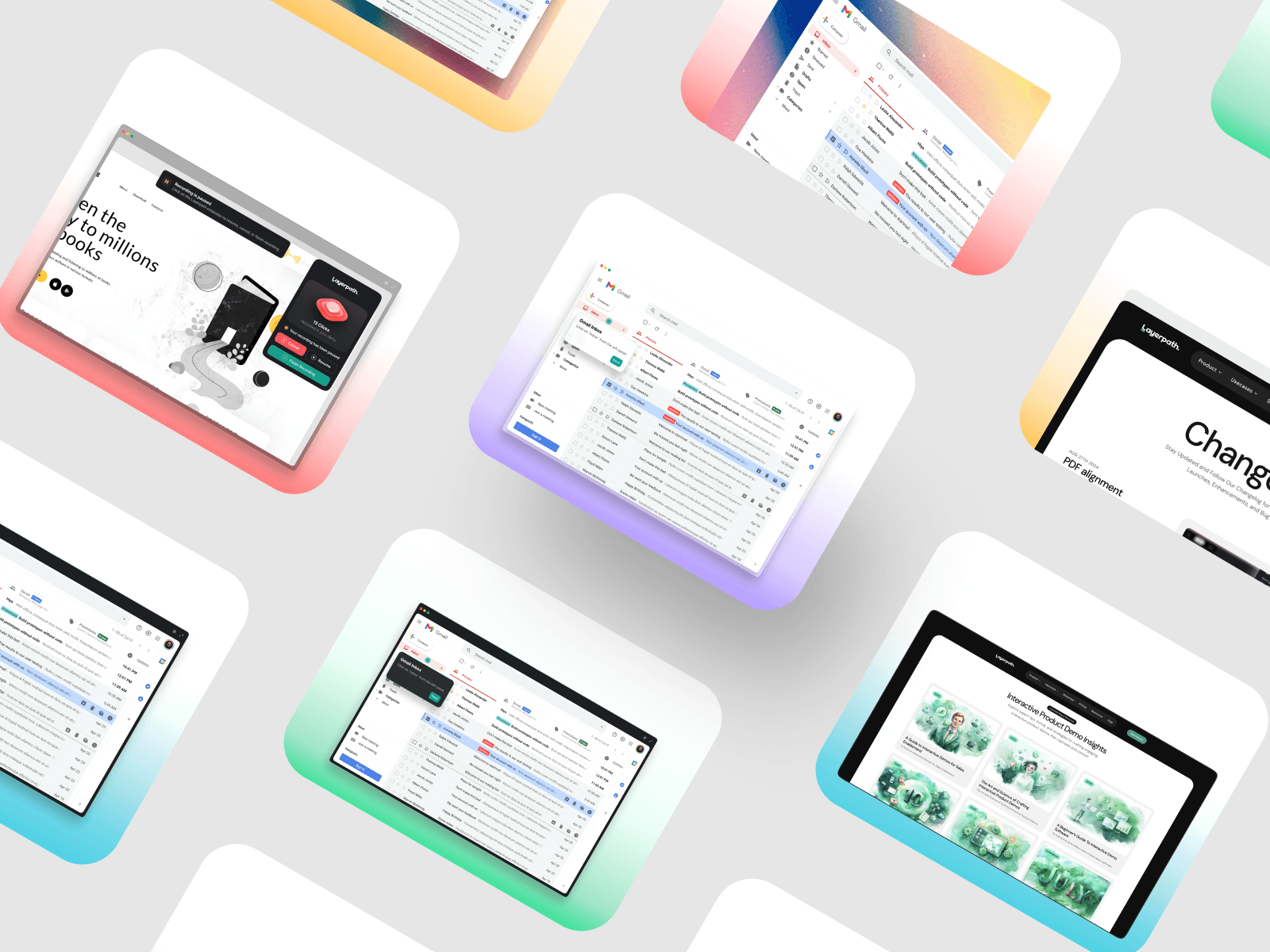
Custom OG Images for Demos
Every demo now includes its own OG image, adding visual appeal and improving engagement across social media when sharing demos.
Fixes
Improved Guide Navigation: Resolved a scrolling issue in the guide's left-hand menu that interrupted access to each step. Enjoy smooth, uninterrupted navigation now!

Enhancement & Fixes
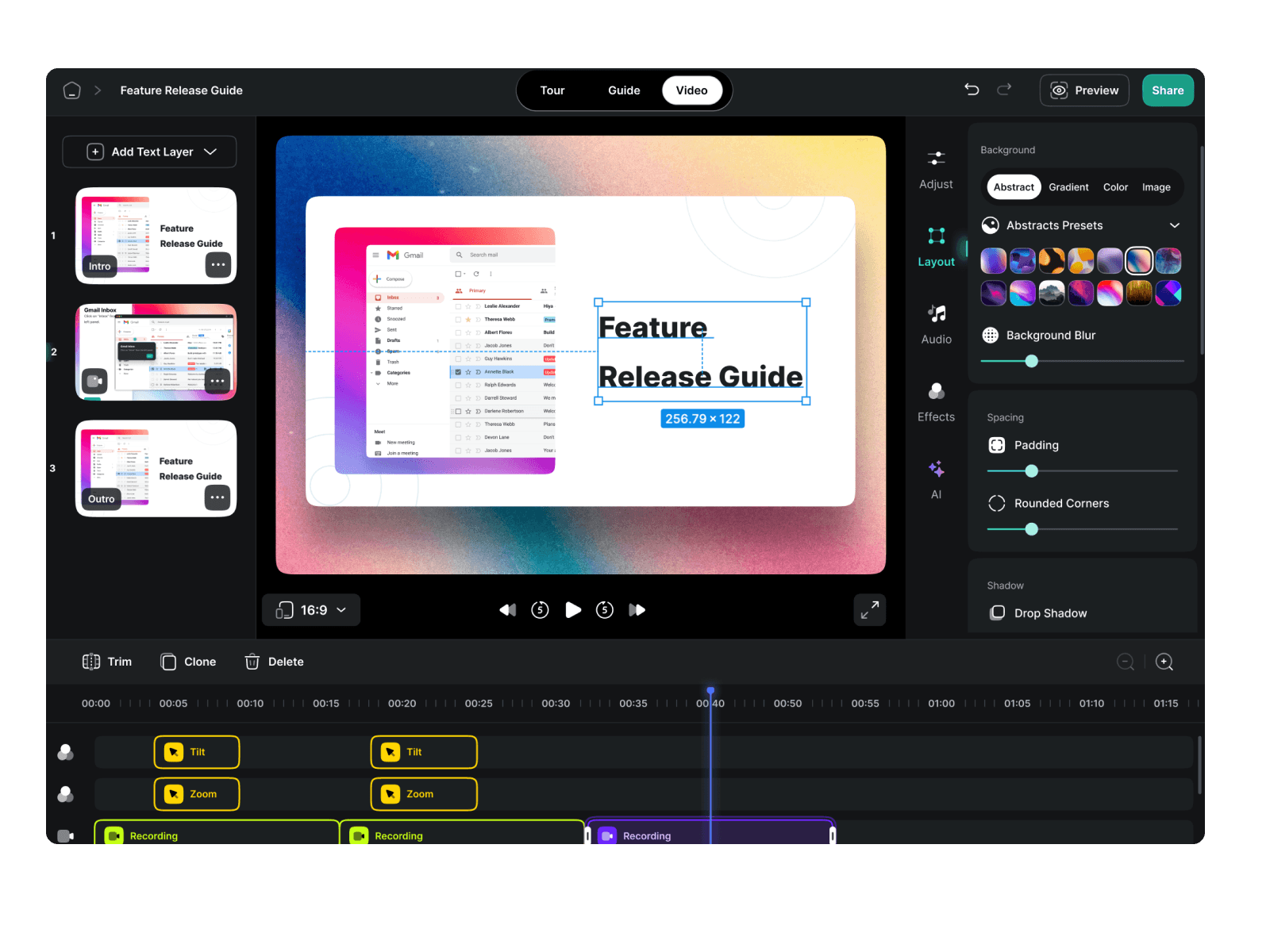
Video Export Alignment
Misalignment issues in text walkthroughs for video exports have been addressed. Now, text appears correctly, providing a smooth playback experience for viewers.
Fixes
Stability in Guide Slide Deletion: Fixed an intermittent issue with continuous slide deletion in guides, allowing for uninterrupted editing.

Enhanced Mobile UX & Fixes
Mobile Tour Tooltip Expansion
Mobile experience just got better! Now you can expand and collapse tooltips at the bottom of your screen with a simple arrow click, making navigation easier and more efficient for mobile users.
Fixes
Audio Loading in Video Export: Fixed an issue where audio would delay or fail to load during video exports. You can now export your videos seamlessly, with no hiccups in the audio.
Enhancements & Fixes
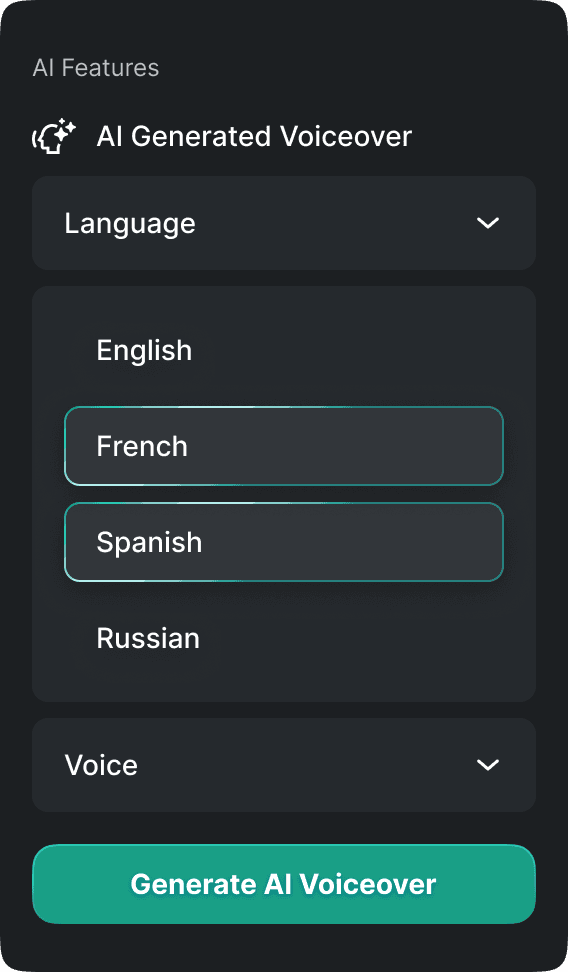
French & Spanish TTS Enhancements
We've enhanced our AI voiceovers to sound more accurate to the native language. We have rolled this option for French and Spanish at the moment. More languages are in the pipeline, so stay tuned!
Fixes
404 Error on Unshared Projects: Previously, unshared projects would result in a 404 error page. We've fixed this so that if a project has private access or doesn't exist, you'll now get a proper "Project not found" message.
Enhancements & Fixes
Customizable Background Opacity for Box Models
Want more control over your design? You can now adjust the background opacity for box models in your tours, helping you create a more polished and tailored visual experience.
Fixes
Image Upload Timeout Fix: If uploading images for new projects was giving you timeout errors, worry no more! This bug has been resolved for faster, smoother project creation.
Enhancements & Fixes
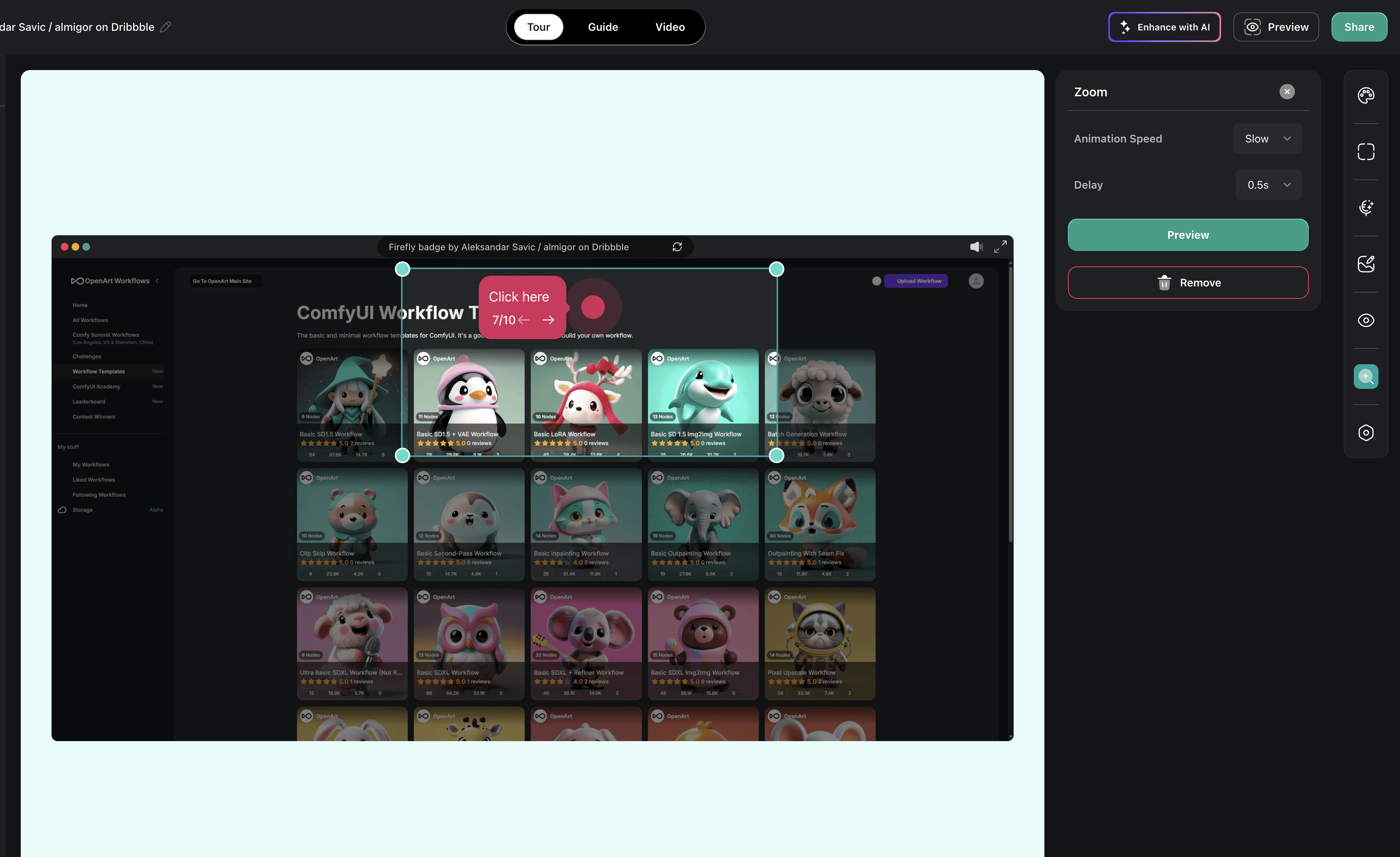
Speed & Delay Controls for Zoom & Pan in Tours
Take full control of your visual storytelling! We've introduced new speed and delay functions for zoom and pan effects. You can now fine-tune the flow and pacing of your tours for a more immersive user experience.
Fixes
Hotspot Size Bug Resolved: Hotspots weren't always displaying correctly, but we've fixed that! Now, hotspot sizes will be displayed as expected.
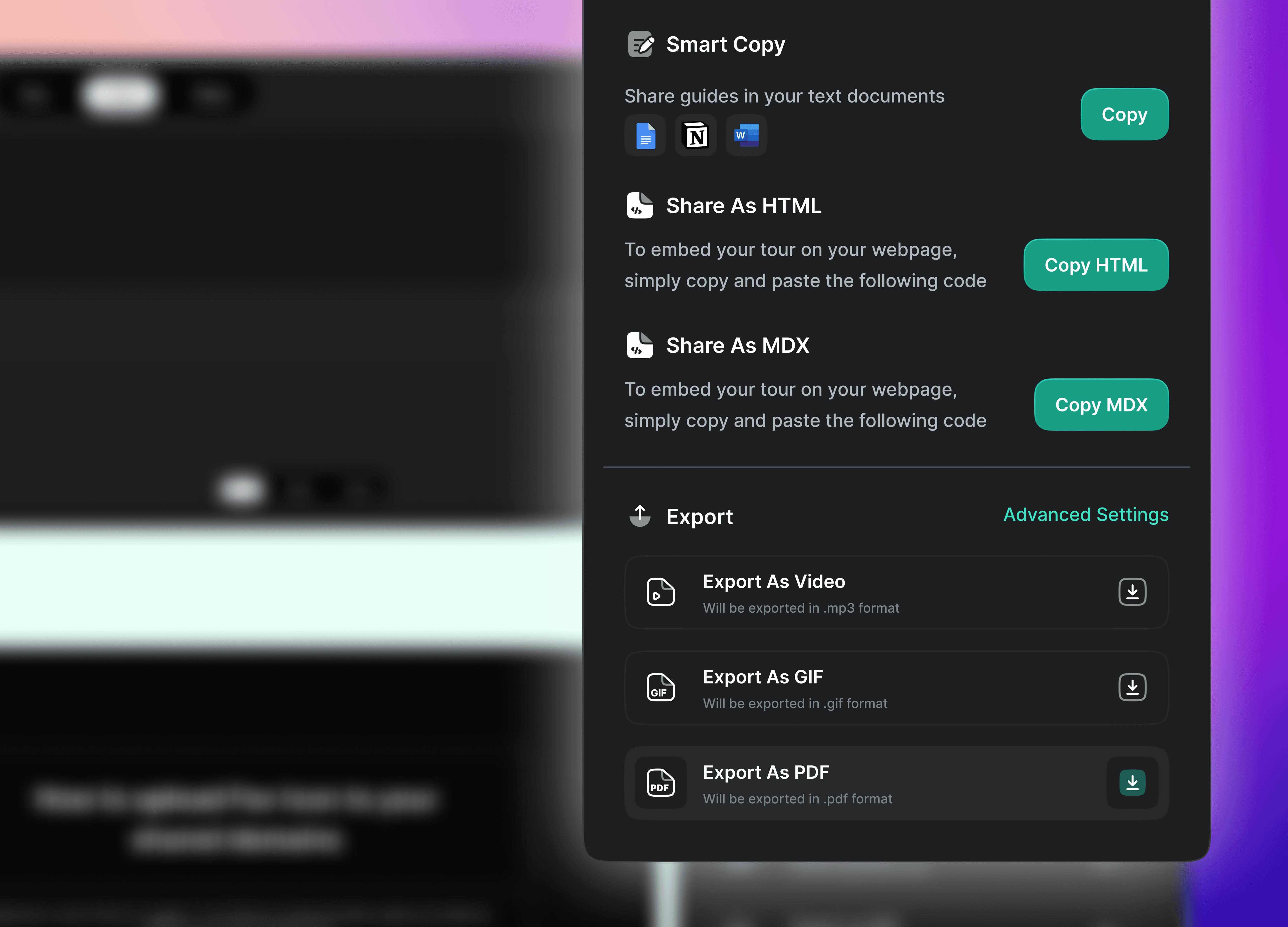
PDF alignment & Fixes
Perfect PDF
Align your PDF right
We've enhanced PDF export alignment, ensuring your documents are sharp, organized, and professional-looking.
Fixes
LinkedIn OG Fix: Share with confidence! We've corrected the OG for LinkedIn shares, ensuring your links display properly on social media.
Custom Domain Configuration in Playlist: We've fixed issues with custom domain configuration in playlists. Your custom domain now appears in playlists just like your individual tours and guides, giving you full control over your content distribution.
Enhancements & Fixes
Enhancements
Delete voiceovers in tours: Easily delete voiceovers from your tours, giving you greater flexibility and control over your content.
Expanded Language Support: We've expanded language support to include Slovak, Czech, Romanian, Tamil, and Korean, making our platform accessible to more users worldwide.
Fixes
Fullscreen accuracy: Issues with tours displaying in fullscreen mode within playlists have been resolved, providing a seamless experience.

Tour autoplay, Enhancements & Fixes
Autoplay tours
Effortless Navigation
Tours now autoplay, guiding users through steps automatically without the need to click 'Next' or arrows.
Enhancements
Use brand logo in PDF export: Your brand logo now appears in PDF exports, ensuring consistent branding across all your documents.
Optimized Guide Performance: Large guides are now optimized for faster loading and smoother operation, even for your biggest projects.
Fav icon & Fixes
Favicon upload for shared domains
Personalized Identity
Upload your custom favicon to appear in the title bar of shared domains, giving your demos a professional and personalized touch.
Fixes
Country Code in analytics: The country code issue in analytics has been fixed, giving you more precise and reliable insights.
Loading speed of projects: We've improved project loading speed on the dashboard, ensuring immediate access when you click on a project.
Human voiceovers & Enhancements
Record your own voice
Your Voice Matters
You can now record and add your own voice to tours, making them more personalized and interactive. Bring a human touch to every learning experience.
Enhancements
Disable Pan and Zoom: We've introduced an option to disable pan and zoom in tours, ensuring a standardized and distraction-free learning environment.
iFrame Click Support: Now you can record the interactions made in iFrames.
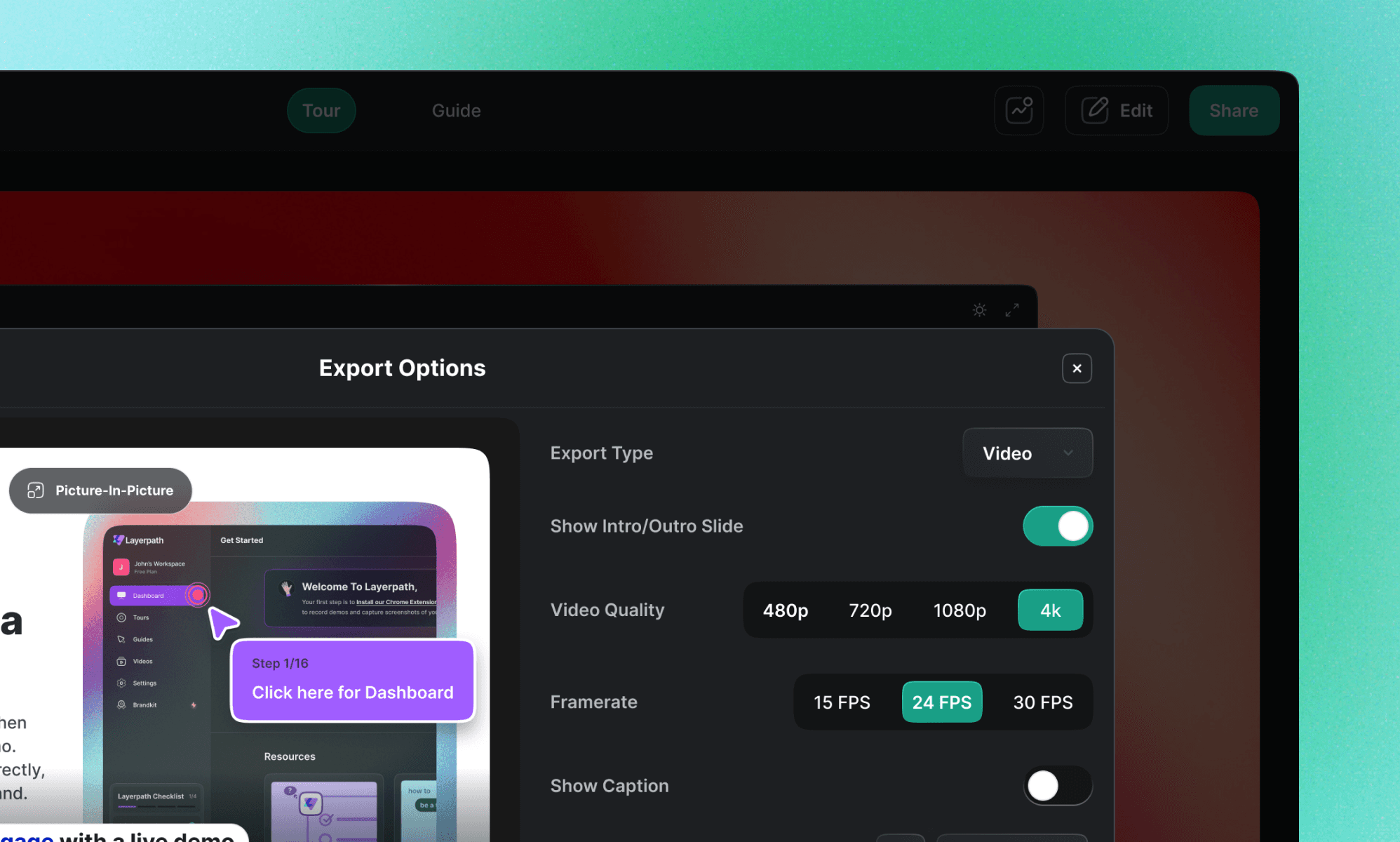
Enhancements & Fixes
Best experience is here
4K video quality
Introducing stunning 4K resolution in video export: Enjoy downloading your video in a higher resolution and provide a superior learning experience for your audience.
Fixes
Removing effects in a single click: Starting from scratch doesn't have to be so overwhelming. We have introduced an option to remove all the added effects in your video in just one click. You can call it your instant magic eraser!
Project Transfers & Cloning
Stay focused. Stay organized
Project transfers between workspaces
You can now move their projects to a colleague's workspace. This keeps your workspace organized only with projects you are focusing on, while projects assigned to other team members are transferred to their respective workspaces.
Say goodbye to rework
Cloning your project
Easily replicate your favorite projects for different purposes. Save time and get creative without starting from scratch every time.
Enhancements & Fixes
Seamless narration
AI-voiceovers for video layers in tours
No more pauses in your narration. We have added AI voiceovers to video slides in your tours ensuring a smooth user experience with voiceovers guiding users from start to finish.
Fixes
Adjustable pan and zoom speed: One size doesn't fit all! Customize the speed of pan and zoom effects in your video to slow, medium, and fast, tailoring it to how comfortably your audience can grab the content.
Multi language support & Enhancements
Say hi in any language
Multi-lingual support
Now you can AI voiceovers and walk-through texts in regional languages. Just navigate to the "Enhance with AI" feature, pick your preferred language and our AI instantly generates the appropriate content. We already support several languages, with more on the way.
Choose your preferred language as the default option in Brandkit. All your new projects will consistently use your chosen language for AI voiceovers and walk-through texts, saving you from manual selection of language for every project.
Enhancements
Autoplaying voiceovers in tours: Voiceovers now kick in from the very first slide, guiding your users every step of the way through the entire tour—no more missed intros.
PDF Export & Playlists
PDF power
Exporting guides as PDF
You can now export your guides as PDF files, making it easy to share and access them offline through email or print. Share your PDF with team members, clients, or stakeholders, providing greater flexibility and convenience.
Organize like a Pro!
Playlists
No more digging through hundreds of projects! Categorize your tours and guides based on specific modules, and organize them into playlists. Share them with your audience to provide a structured learning experience during their onboarding and training periods.
Try out these new updates!
We hope you liked our updates today. If you have any comments or feedback, feel free to share them here. Don't forget to watch our blog space for more interesting updates on content creation that will help you educate and engage your users effectively.